
Free tool
Reverse proxy config generator
Describe one service and get a working config for Caddy, Traefik and Nginx Proxy Manager, with HTTPS, a LAN-only option and WebSockets already handled. Copy the one you run.
Describe the service
Pick an app to fill in its usual port, or start from scratch. The upstream is whatever the proxy can reach: a container name on the same Docker network, or an IP.
The part before your domain
Container name or IP
Jellyfin’s default
Upstream speaks
Choose who can reach it
LAN only still gets a real certificate, so you never click through a browser warning at home.
Who can reach it
Edit if your LAN uses something else
For the DNS record
Anything from outside these ranges gets a 403. Pair it with a DNS record that points at the proxy’s LAN IP and the service never touches the internet.
Get a certificate
DNS-01 proves you own the domain through your DNS provider, so it works without opening a single port.
Challenge
One API token with Zone > Zone > Read and Zone > DNS > Edit for your domain.
Optional. Let’s Encrypt stopped sending expiry emails in 2025.
The token goes in your .env, never in a config: Caddy reads CF_API_TOKEN and Traefik reads CF_DNS_API_TOKEN
Add the extras
Each one adds a few lines to every config. The defaults suit most self-hosted apps.
Your config
The same service, three ways. Copy the block for the proxy you run, or download all three.
CaddyCADDYFILE
Paste into your Caddyfile and reload. DNS-01 needs a Caddy build with the caddy-dns/cloudflare module: xcaddy build --with github.com/caddy-dns/cloudflare
jellyfin.home.example.com {
	# LAN only: anything else gets a 403
	@lan remote_ip 10.0.0.0/8 192.168.0.0/16
	handle @lan {
		reverse_proxy jellyfin:8096
	}
	handle {
		respond 403
	}

	tls {
		dns cloudflare {env.CF_API_TOKEN}
	}
	header {
		Strict-Transport-Security "max-age=31536000"
		X-Content-Type-Options "nosniff"
		Referrer-Policy "strict-origin-when-cross-origin"
	}
}TraefikDOCKER-COMPOSE.YML
Labels for the jellyfin service. Traefik needs to be on the proxy network too.
services:
  jellyfin:
    # ...keep your existing image, volumes and environment
    networks:
      - proxy
    labels:
      - "traefik.enable=true"
      - "traefik.docker.network=proxy"
      - "traefik.http.routers.jellyfin.rule=Host(`jellyfin.home.example.com`)"
      - "traefik.http.routers.jellyfin.entrypoints=websecure"
      - "traefik.http.routers.jellyfin.tls.certresolver=letsencrypt"
      - "traefik.http.routers.jellyfin.middlewares=jellyfin-lan,jellyfin-headers"
      - "traefik.http.services.jellyfin.loadbalancer.server.port=8096"
      - "traefik.http.middlewares.jellyfin-lan.ipallowlist.sourcerange=10.0.0.0/8,192.168.0.0/16"
      - "traefik.http.middlewares.jellyfin-headers.headers.stsseconds=31536000"
      - "traefik.http.middlewares.jellyfin-headers.headers.contenttypenosniff=true"
      - "traefik.http.middlewares.jellyfin-headers.headers.referrerpolicy=strict-origin-when-cross-origin"

networks:
  proxy:
external: trueTraefikTRAEFIK.YML (STATIC)
The entrypoints, providers and certificate resolver the route relies on. Merge into yours; it only reloads on restart. Set CF_DNS_API_TOKEN in Traefik’s environment.
entryPoints:
  web:
    address: ":80"
    http:
      redirections:
        entryPoint:
          to: websecure
          scheme: https
  websecure:
    address: ":443"
providers:
  docker:
    exposedByDefault: false
    network: proxy
certificatesResolvers:
  letsencrypt:
    acme:
      storage: /letsencrypt/acme.json
      dnsChallenge:
        provider: cloudflare
        resolvers:
          - "1.1.1.1:53"
          - "9.9.9.9:53"
Nginx Proxy ManagerADD PROXY HOST
No file to paste. Fill these into Hosts > Proxy Hosts > Add Proxy Host, tab by tab. Field names match Nginx Proxy Manager 2.16.
Details tab
- Domain Names
- jellyfin.home.example.com
- Scheme
- http
- Forward Hostname / IP
- jellyfin
- Forward Port
- 8096
- Cache Assets
- OFF
- Block Common Exploits
- ON
- Websockets Support
- ON
- Access List
- jellyfin-access
SSL tab
- SSL Certificate
- Request a new Certificate
- Use DNS Challenge
- ON
- DNS Provider
- Cloudflare
- Credentials File Content
- dns_cloudflare_api_token=<your API token>
- Propagation Seconds
- leave empty
- Force SSL
- ON
- HTTP/2 Support
- ON
- HSTS Enabled
- ON
- HSTS Sub-domains
- OFF
Access Lists > Add Access List (do this first)
- Name
- jellyfin-access
- Satisfy Any
- OFF
- Pass Auth to Upstream
- OFF
- Rules
- allow 10.0.0.0/8 allow 192.168.0.0/16
In Jellyfin, add the proxy’s IP under Dashboard > Networking > Known proxies so it logs real client addresses.
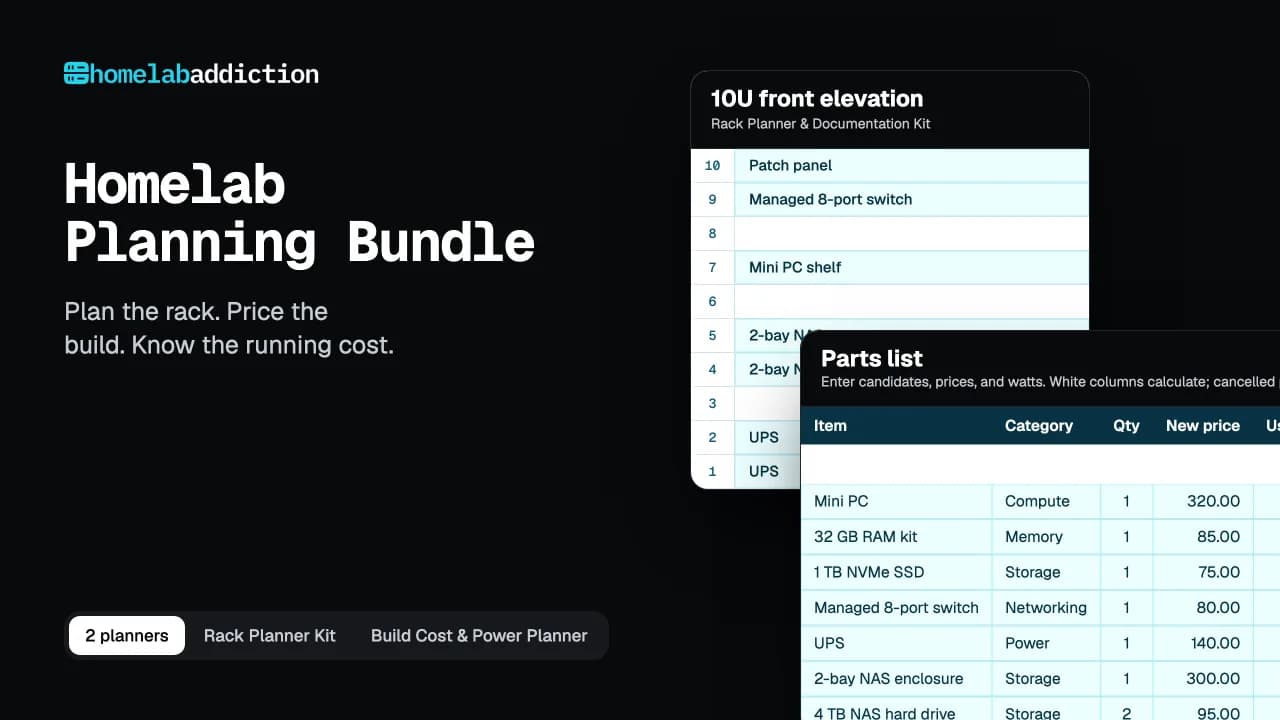
Homelab Planning Bundle
Now price the whole build
Two planners in one download. One works out what your lab will cost to buy and to run. The other maps where every part goes in the rack.
- Build Cost & Power Planner: Excel workbook with parts list, budget, power cost, and build phases
- Rack Planner & Documentation Kit: 17-page printable and fillable PDF
- Filled example build, so you can see every formula working
- Quick-start guide in A4 and US Letter
$19.99$27.98 bought separatelySave $7.99
Nothing hidden
How each config is built
Every line comes from one of your answers above. Here is which answer turns into what.
- Hostname
- subdomain + your domainjellyfin + home.example.com = jellyfin.home.example.com
- Upstream
- scheme :// container name or IP : porthttp://jellyfin:8096
- Access
- LAN only adds an allowlist of the ranges you set10.0.0.0/8, 192.168.0.0/16, anything else gets a 403
- Certificate
- DNS-01 challenge through your DNS provider’s APICloudflare, token read from CF_API_TOKEN (Caddy) or CF_DNS_API_TOKEN (Traefik)
- Extras
- each option you ticked in step 4HSTS + nosniff headers, WebSockets, real client IP
Before it goes live
What will bite you
01
HTTP-01 needs port 80 open
Let’s Encrypt has to reach your proxy from the internet. For anything LAN only, use DNS-01 and keep every port on your router closed.
02
IP allowlists break behind a tunnel
Through Cloudflare Tunnel every request reaches the proxy from cloudflared, which sits on your LAN, so a private-range allowlist lets the whole internet in. Use Cloudflare Access for login instead.
03
Self-signed upstreams need a flag
Proxmox and UniFi serve HTTPS with their own certificate. Tell the proxy to skip verifying it, or every request ends in a 502.
04
Some apps need WebSockets
Home Assistant, Uptime Kuma and Jellyfin’s SyncPlay use them. Caddy and Traefik pass them through. In NPM you have to tick the box.
Questions
Reverse proxy generator FAQ
Which proxy should I pick?
Caddy if you want the shortest config, Traefik if everything already runs in Docker Compose, and Nginx Proxy Manager if you’d rather click than type. Our comparison runs through the trade-offs.
Why DNS-01 instead of HTTP-01?
HTTP-01 only works if Let’s Encrypt can reach port 80 on your public IP, so a LAN-only service would need a port opened just to renew its certificate. DNS-01 proves you own the domain by adding a TXT record through your DNS provider’s API, so no port is ever opened.
Does this work behind a Cloudflare Tunnel?
Yes. Pick Behind Cloudflare Tunnel and the configs drop the IP allowlist, which can’t work there: every request reaches the proxy from cloudflared on your own network. You also get the cloudflared ingress rule, pointed at the proxy. Use Cloudflare Access for the login.
Can I generate configs for several services at once?
One at a time for now. Each Caddy site block, Traefik router and NPM proxy host is independent, so generate the next service and add it alongside the first. Traefik’s static config only needs adding once.
Is anything I type saved or sent anywhere?
No. The configs are generated in your browser and nothing you type is sent anywhere. The tool never asks for your API token: each config reads it from the environment. The page records that the generator was used, without your values.
Newsletter
Get the next tested guide in your inbox
One email when a new guide or tool goes up. You can leave with one click.
Enter your email address to receive the Homelab Addiction newsletter.