
Free tool
Homelab power cost calculator
See what your lab costs to keep switched on, per month, per year, and over three years. Add your devices, enter the rate from your electricity bill, and the totals update as you type.
Add the devices that stay on
The list starts with an example lab. Change the watts to match yours, or clear it and add your own. Measured watts from a plug-in power meter beat any estimate.
Proxmox or Docker host
$29.78 / yr
$29.78 / yr
Without drives
$17.87 / yr
$17.87 / yr
Watts are per drive
$14.15 / yr
$14.15 / yr
$10.42 / yr
$10.42 / yr
Its own losses, not the load
$13.40 / yr
$13.40 / yr
Enter your electricity
A label only. Nothing is converted.
The unit rate from your bill.
24 for always-on gear.
Most home labs idle most of the day.
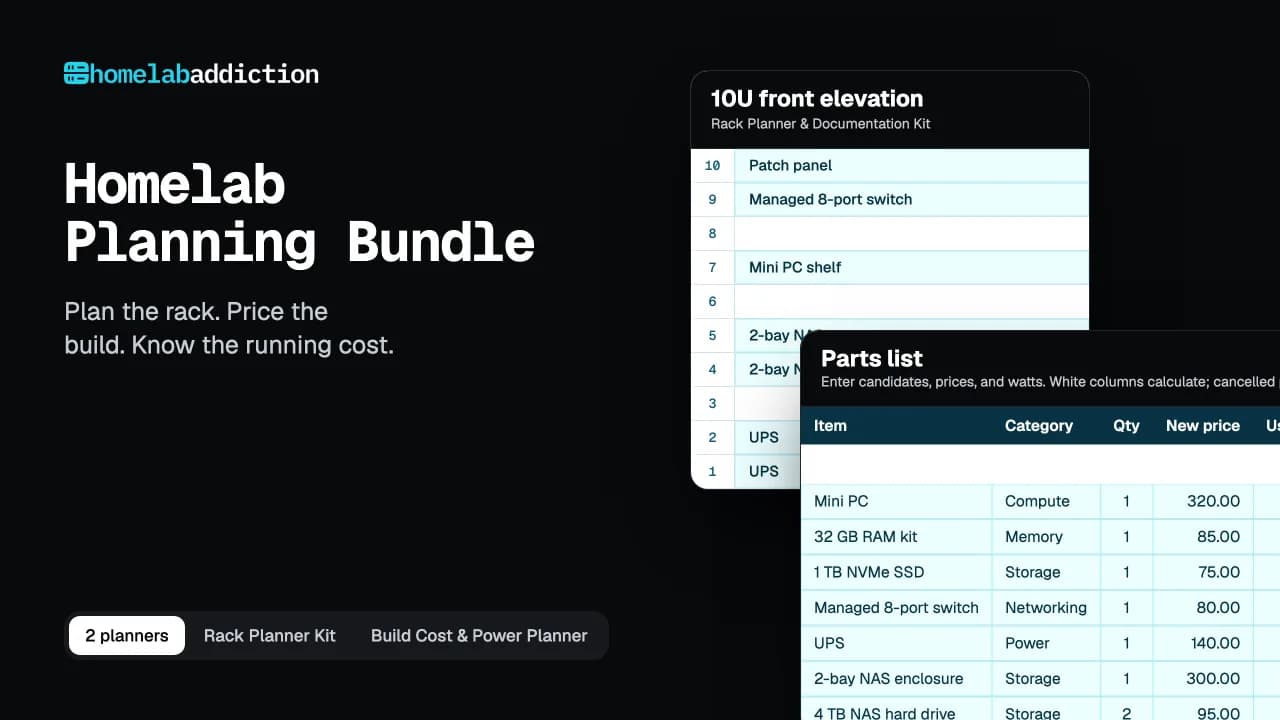
Homelab Planning Bundle
Now price the whole build
Two planners in one download. One works out what your lab will cost to buy and to run. The other maps where every part goes in the rack.
- Build Cost & Power Planner: Excel workbook with parts list, budget, power cost, and build phases
- Rack Planner & Documentation Kit: 17-page printable and fillable PDF
- Filled example build, so you can see every formula working
- Quick-start guide in A4 and US Letter
$19.99$27.98 bought separatelySave $7.99
Inside the planner
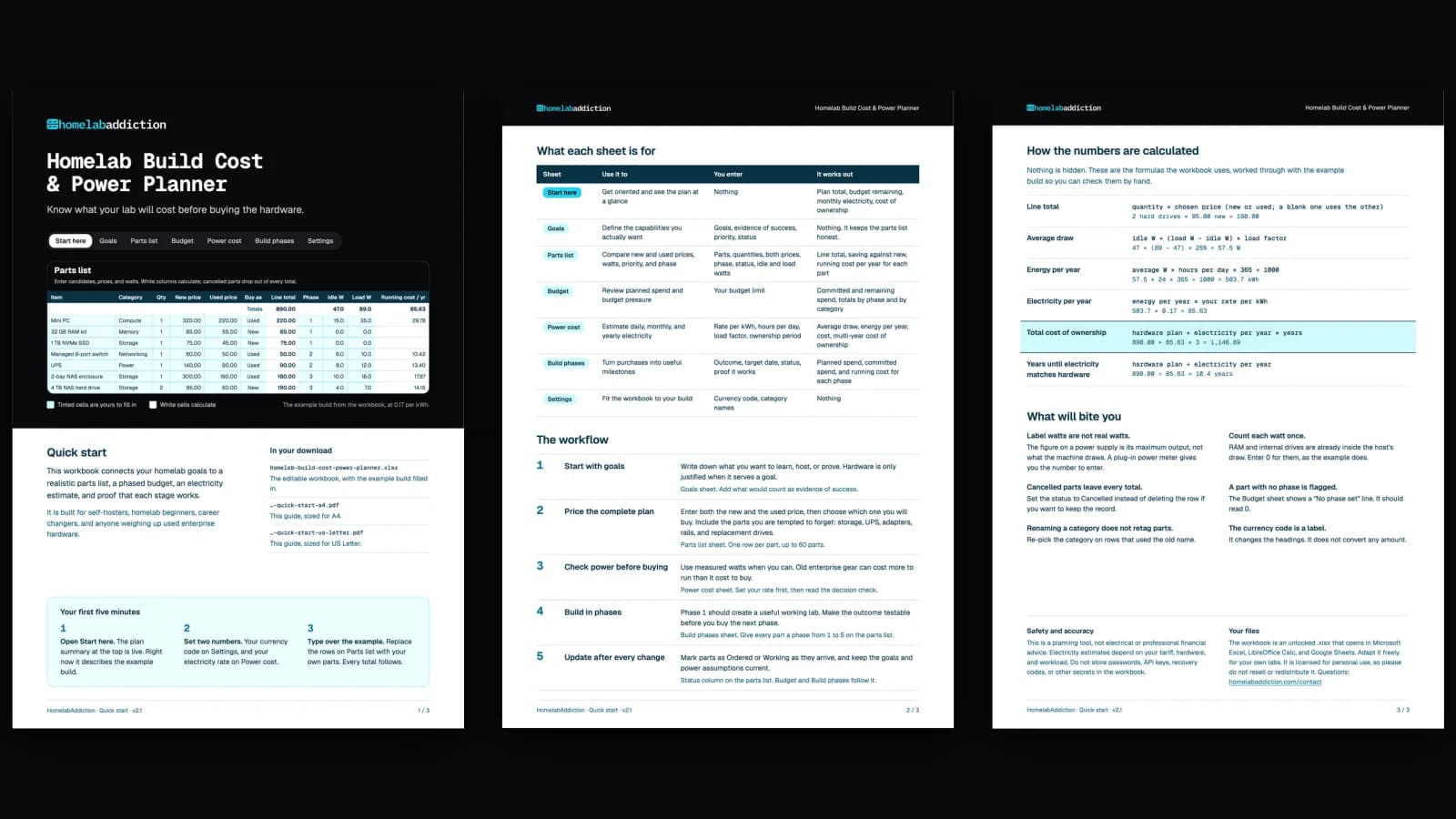
What the planner adds to these numbers
The calculator covers the running cost. The $12.99 workbook carries the same numbers into a full build plan.
Parts list
Every part, new or used
Line totals, savings against new, and running cost per year for each part.
Budget
Fit the plan to your limit
Committed and remaining spend, with totals by phase and by category.
Build phases
Buy in useful stages
Five phases, each with its own cost, running cost, and proof that it works.
Nothing hidden
How the numbers are calculated
These are the formulas the calculator uses, worked through with the example lab it opens with, so you can check them by hand.
- Average draw
- idle W + (load W − idle W) × time at load47 + (89 − 47) × 25% = 57.5 W
- Energy per year
- average W × hours per day × 365 ÷ 100057.5 × 24 × 365 ÷ 1000 = 503.7 kWh
- Cost per year
- energy per year × your rate503.7 × 0.17 = $85.63
- Cost per month
- cost per year ÷ 12$85.63 ÷ 12 = $7.14
- Over 3 years
- cost per year × 3$85.63 × 3 = $256.89
Before you trust the number
What will bite you
01
Label watts are not real watts
The figure on a power supply is its maximum output, not what the machine draws. A plug-in power meter gives you the number to enter.
02
Count each watt once
RAM and internal drives are already inside the host’s draw. Enter 0 for them, or leave them out.
03
Old enterprise gear idles high
A used rack server can be cheap to buy and expensive to keep on. Check its idle draw before you buy it.
04
Your tariff may not be flat
If your bill has peak and off-peak rates, use the rate your lab mostly runs on, or an average across the day.
Questions
Power cost FAQ
Where do I find my electricity rate?
On your electricity bill, as a price per kWh. Use the unit rate rather than the total you paid, because the total includes standing charges that do not change with your lab.
What does time at load mean?
The share of the day your devices run near their load watts rather than idling. 25% suits most home labs. Raise it for machines that transcode, build, or crunch numbers all day.
Why are the preset watts different from my device?
The presets are the example build from the Build Cost & Power Planner, a starting point rather than a measurement of your hardware. Two machines with the same name can draw very different power, so measure yours with a plug-in power meter and type over the preset.
Does this include the cost of the hardware?
No, only the electricity. The Build Cost & Power Planner adds the hardware, new versus used prices, and the total cost of ownership over the years you expect to run the lab.
Is anything I type saved or sent anywhere?
Your numbers are not stored or sent anywhere. The calculator runs in your browser. The page records that the calculator was used, without the values you entered.
Newsletter
Get the next tested guide in your inbox
One email when a new guide or tool goes up. You can leave with one click.
Enter your email address to receive the Homelab Addiction newsletter.