Docker for Homelabs: Images, Containers, Volumes, and Compose Without the Hand-Waving
Learn the Docker concepts that matter most in a homelab: images, containers, volumes, networks, and Compose, with the recovery and maintenance implications called out clearly.
Disclosure: This article may contain affiliate links. If you purchase through these links, we may earn a commission at no additional cost to you. We only recommend products we have personally tested or thoroughly researched.
FTC disclosure: This article contains affiliate links. If you buy through them, HomelabAddiction may earn a commission at no additional cost to you.
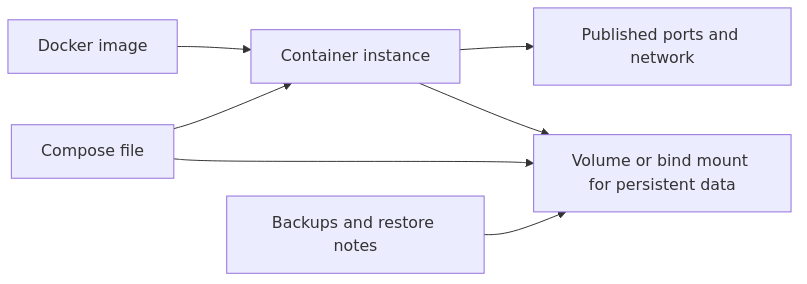
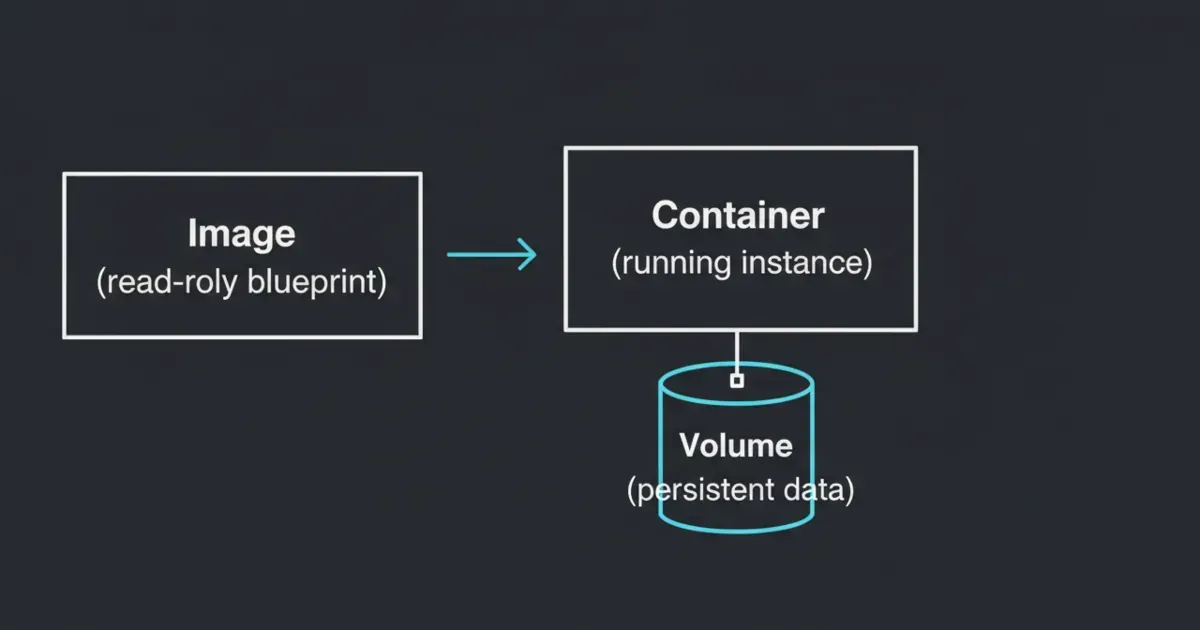
For a homelab, Docker becomes much easier once the boundary between image, container, and persistent data is explicit. The image is the packaged app, the container is the running instance, and the volume or bind mount is the state you cannot afford to lose.
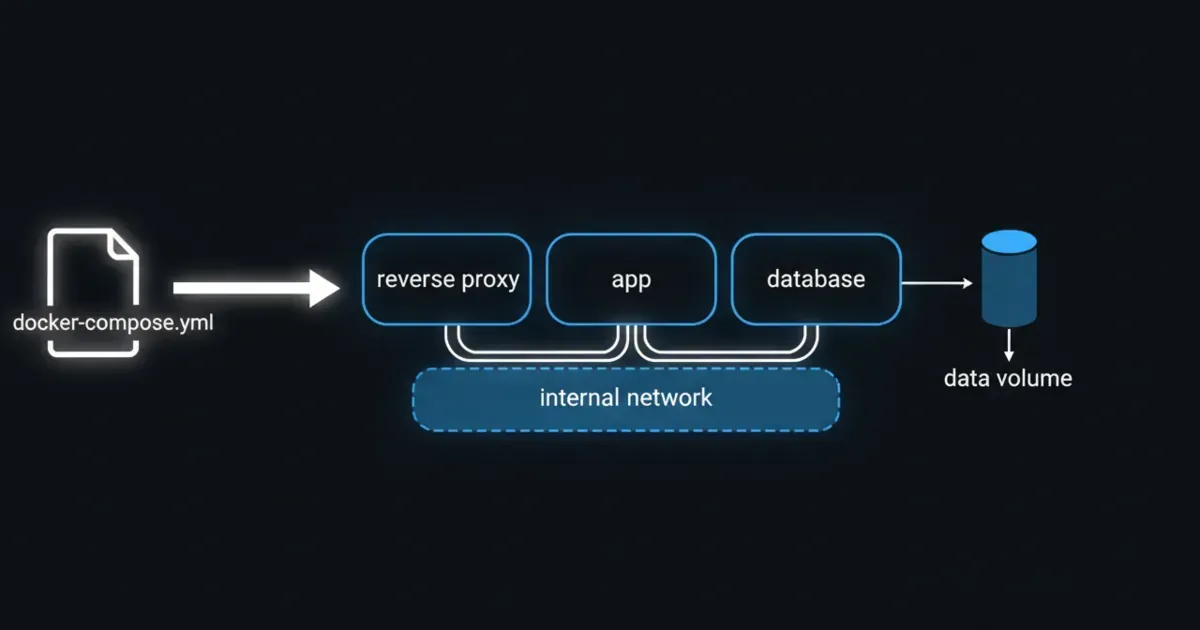
Compose then becomes the description of how those pieces fit together, which is why recovery and maintenance depend on documenting the data path as carefully as the service definition.
This page helps new self-hosters understand the Docker concepts that actually change reliability so they can upgrade, move, or rebuild a service without rediscovering where the important data lived.
Docker basics map: the image defines the app, the container is the running instance, Compose describes the service layout, and the persistent data path must be documented separately so upgrades and restores stay predictable.
You should be able to delete and recreate containers without losing your important data.
transmission signup
article_topic // Docker for Homelabs
Don't leave without the setup notes.
Get practical homelab guides, failure logs, and beginner-friendly build notes in your inbox.
Enter your email address to receive the Homelab Addiction newsletter.
Weekly only. No spam. Unsubscribe anytime.
If deleting a container makes you panic, the service is not set up with clear persistent storage yet.
Where your data lives (volumes vs bind mounts)
Docker gives you two common ways to keep data persistent: volumes and bind mounts.
Volumes
A volume is storage managed by Docker.
A practical way to think about it:
Volumes are for app data you want Docker to manage.
You interact with them through Docker and back them up as a unit.
Docker’s own documentation calls volumes the preferred mechanism for persisting container data and notes they are managed by Docker and isolated from the host’s core filesystem layout.
Bind mounts
A bind mount maps a specific host directory into a container.
Bind mounts are great when:
You want your configs in a predictable folder you can browse and back up
You want to edit files on the host and have the container use them immediately
A common homelab pattern is:
Bind mount config
Use a volume (or a dedicated host path) for large data directories
The important rule is not which one you choose. It is that you choose deliberately and can point to the exact path that must be backed up.
Docker networking in homelab terms
Most homelab Docker setups work fine with the defaults, but you should understand the three patterns you will see:
Bridge networking (the default)
Containers sit behind a private network on the host. You publish ports from host to container.
This is usually the easiest to keep tidy, and it avoids surprises on your LAN.
Host networking (powerful, but blunt)
The container uses the host network stack directly.
This can be useful for certain services, but it removes a layer of isolation and makes port conflicts easier.
LAN-style networking (containers act like separate machines)
Some people want containers to look like they have their own IP on the LAN.
That is possible, but it adds complexity. For beginners, start with bridge mode and a reverse proxy.
Docker Compose: your homelab control panel
Once you run more than one or two containers, Compose becomes the simplest way to:
Document your setup
Recreate it after a failure
Upgrade services predictably
A Compose file is basically your homelab recipe.
It captures:
Which images you run
Environment variables
Volumes and bind mounts
Networks
Restart policies
From the lab
A simple default layout that stays maintainable
The biggest quality-of-life upgrade is having a consistent folder layout for your stacks.
One practical approach:
One folder per stack
A compose file in that folder
A config subfolder you can back up
You do not need to copy a perfect structure from the internet. You just need a structure you will keep.
Common beginner mistakes
Mistake 1: storing data inside the container
If you store important data in the container writable layer, deleting the container will delete your data.
Make sure you can recreate the container from Compose and the service comes back with its data.
Mistake 2: pulling latest forever
Using latest everywhere makes upgrades unpredictable.
Pin versions for anything you care about, and upgrade on purpose.
Mistake 3: exposing random ports on your LAN
It is tempting to publish ports directly for every service.
A reverse proxy gives you clean URLs and one place to manage inbound access, which keeps your setup less chaotic.
FAQ
Should I run Docker on bare metal or inside a VM?
Both work. Many homelabs run Docker inside a dedicated VM so the host stays clean and the services are easier to snapshot and restore.
Do I need Kubernetes for a homelab?
Not for most people. Compose is enough for a long time.
Are volumes or bind mounts better?
Volumes are simpler to manage through Docker. Bind mounts are simpler when you want direct host access to files. Pick one intentionally and back it up.
What should I learn next?
Learn how you will back up and restore a single service. That is the moment Docker stops feeling risky.
Next steps
Pick one service you want to self-host and write a Compose file for it. Before you run it, decide where its config and data will live and how you will back it up.
If you can recreate the container from scratch and your data is still there, you have learned the most important Docker skill for homelabs.
transmission signupstatus: open channel
article_topic // Docker for Homelabs
Start building a smarter homelab.
Join readers learning Proxmox, networking, storage, backups, and self-hosting without breaking everything.
Enter your email address to receive the Homelab Addiction newsletter.
Beginner-friendly
No gatekeeping. Just clear, actionable guides.
1 useful email / week
Practical tips, real-world setups, and lessons learned.
Zero hype, practical only
What works, what breaks, and how to fix it.
Reply to any email with what you're building. I read and reply to as many as I can.
— The Homelab Addiction Operator
support // the lab
Found this guide useful?
If it saved you time or a rebuild, you can support more practical homelab guides.