
Free tool
RAID & ZFS capacity calculator
Add the drives you have or plan to buy and compare every layout side by side: RAID 5, 6 and 10, RAIDZ1 to 3, mirrors, Unraid and Synology SHR. See the usable space, how many failed drives each one survives, and what each usable terabyte costs.
Add your drives
Add each size you have, or plan to buy, with how many and what they cost. Mixed sizes are fine. That’s where the layouts differ most.
CMR NAS drive
32 TB
32 TB
Left over from the old NAS
8 TB
8 TB
6 drives40 TB raw$910.00 totalSmallest 4 TB · largest 8 TB
Set what the pool has to do
Pick how many drives can fail before you lose data, and which system you’ll run. The table below still shows every layout.
Must survive
Platform
Roughly is fine
Photos and media add up
TiB matches what your NAS shows
With mixed sizes, RAID and ZFS treat every drive as the smallest one, so your 8 TB drives count as 4 TB. SHR and Unraid use the full size of each drive.
Every layout, side by side
Same 6 drives, every way to arrange them. Layouts that can’t survive 2 failed drives are dimmed.
| Layout | Usable | Efficiency | Survives | Per usable TB | Full in | Fit |
|---|---|---|---|---|---|---|
| Synology & Unraid | ||||||
| SHR-2Synology | 24 TB | 60% | 2 drives | $37.92 | 7.5 yrs | Best fit |
| Unraid, 2 parityUnraid | 24 TB | 60% | 2 drives | $37.92 | 7.5 yrs | Best fit |
| SHR-1Synology | 32 TB | 80% | 1 drive | $28.44 | 11.5 yrs | 1 failure only |
| Unraid, 1 parityUnraid | 32 TB | 80% | 1 drive | $28.44 | 11.5 yrs | 1 failure only |
| ZFS | ||||||
| RAIDZ2TrueNAS, Proxmox | 15.9 TB | 40% | 2 drives | $57.37 | 3.4 yrs | Fits |
| RAIDZ3TrueNAS, Proxmox | 11.2 TB | 28% | 3 drives | $81.57 | 1.1 yrs | Fits |
| RAIDZ1TrueNAS, Proxmox | 19.1 TB | 48% | 1 drive | $47.74 | 5 yrs | 1 failure only |
| Mirrors, 3 × 2TrueNAS, Proxmox | 19.9 TB | 50% | 1 per pair | $45.81 | 5.4 yrs | 1 failure only |
| Classic RAID | ||||||
| RAID 6mdadm, OMV, hardware RAID | 16 TB | 40% | 2 drives | $56.88 | 3.5 yrs | Fits |
| RAID 5mdadm, OMV, hardware RAID | 20 TB | 50% | 1 drive | $45.50 | 5.5 yrs | 1 failure only |
| RAID 10mdadm, OMV, hardware RAID | 12 TB | 30% | 1 per pair | $75.83 | 1.5 yrs | 1 failure only |
ZFS figures are what the pool reports for 128 KiB records on 4K-sector drives, after RAIDZ padding and the space ZFS keeps back for itself (1/32 of the pool, at most 128 GiB). Mirrors pair drives of the same size.
Where the space goes
Each bar is one of your drives, drawn to scale. RAID and ZFS stripe across all 6, so every drive gets cut down to the smallest. SHR and Unraid use every terabyte.
- Data
- Parity or mirror copy
- Unused, wasted
Homelab Planning Bundle
Now price the whole build
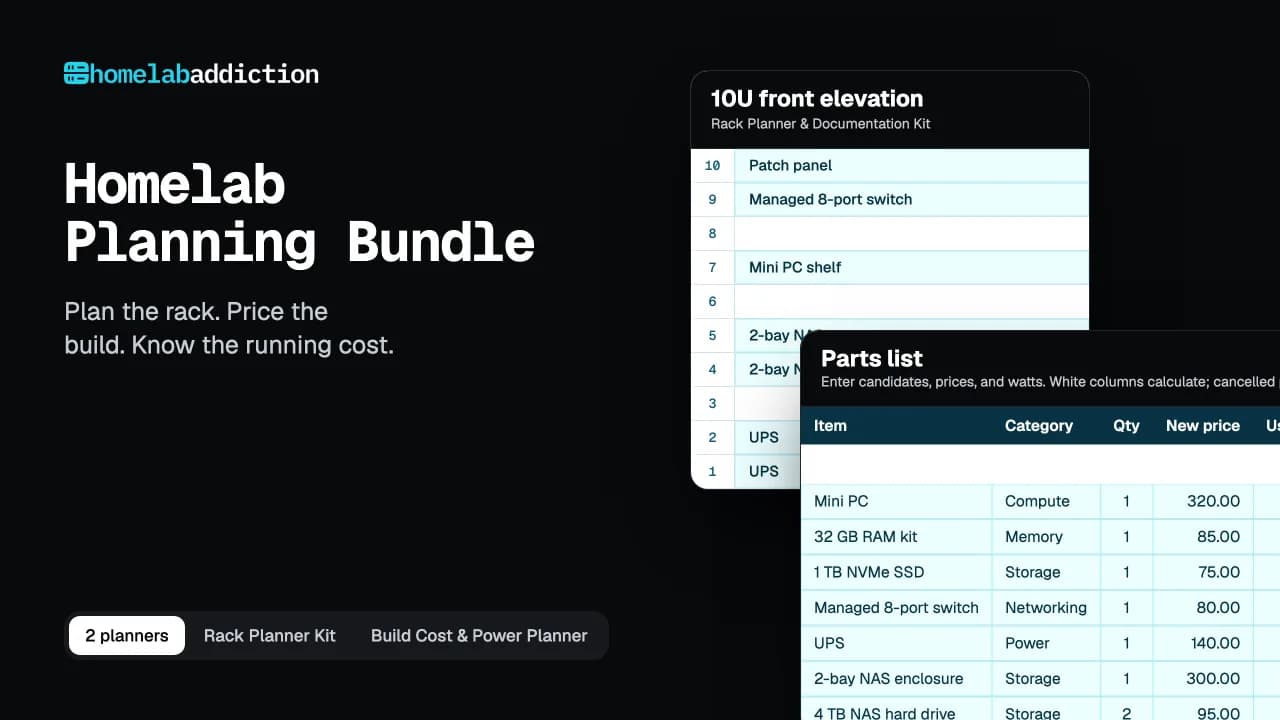
Two planners in one download. One works out what your lab will cost to buy and to run. The other maps where every part goes in the rack.
- Build Cost & Power Planner: Excel workbook with parts list, budget, power cost, and build phases
- Rack Planner & Documentation Kit: 17-page printable and fillable PDF
- Filled example build, so you can see every formula working
- Quick-start guide in A4 and US Letter
$19.99$27.98 bought separatelySave $7.99
Nothing hidden
How the capacity is worked out
Each line uses the drives from the example above: four 8 TB and two 4 TB, $910 in total.
- RAID 5 / RAIDZ1
- (drives − 1) × the smallest drive(6 − 1) × 4 TB = 20 TB, before ZFS padding
- RAID 6 / RAIDZ2
- (drives − 2) × the smallest drive(6 − 2) × 4 TB = 16 TB, before ZFS padding
- ZFS mirrors
- the smaller drive in each pair, added up8 + 8 + 4 = 20 TB
- SHR-2 / Unraid, 2 parity
- each layer of drives, minus two drives’ worth of parity40 − 8 − 8 = 24 TB
- Cost per usable TB
- what the drives cost ÷ usable TB$910 ÷ 24 TB = $37.92
Before you build the pool
What will bite you
01
RAID is not a backup
It keeps the pool online when a drive dies. It does nothing for a deleted folder, ransomware or a house fire. Keep a separate 3-2-1 copy.
02
Big drives take days to rebuild
While a pool rebuilds, every other drive works flat out for a day or more. With single parity, a second failure in that window loses the pool.
03
Buy from different batches
Drives made together tend to fail close together. Split the order across two shops or two months.
04
Leave ZFS some room
ZFS slows down as the pool fills. Plan on filling about 80% of the usable figure, not all of it.
Questions
RAID & ZFS calculator FAQ
Why does my NAS show less space than this?
Drives are sold in TB (1,000⁴ bytes) and most systems report TiB (1,024⁴ bytes), which is about 9% smaller. ZFS also keeps some space back for itself. Switch the unit to TiB to see roughly what your NAS will show.
Can I add drives to a RAIDZ pool later?
Yes, since OpenZFS 2.3 (TrueNAS 24.10 and later): you can widen a RAIDZ vdev one drive at a time. Data already on the pool keeps its old parity ratio until it is rewritten, so the new space reads a little lower than a pool built that wide from the start. Before 2.3, the only way to grow was adding a whole new vdev.
Is RAID 5 still safe with large drives?
For drives of 8 TB and up it is a risk. A rebuild reads every other drive end to end for a day or more, and a second failure or an unreadable sector in that window loses the pool. Double parity (RAID 6, RAIDZ2, SHR-2) covers that window.
Why do SHR and Unraid get more space from mixed drives?
RAID and ZFS stripe across every drive, so each counts as the smallest one. SHR splits drives into layers and protects each layer separately, and Unraid keeps whole drives with parity on the largest, so both use the full size of mixed drives.
Is anything I type saved or sent anywhere?
No. The calculator runs in your browser and your drive list is never sent anywhere. The page records that the calculator was used, without the values you entered.
Newsletter
Get the next tested guide in your inbox
One email when a new guide or tool goes up. You can leave with one click.
Enter your email address to receive the Homelab Addiction newsletter.