

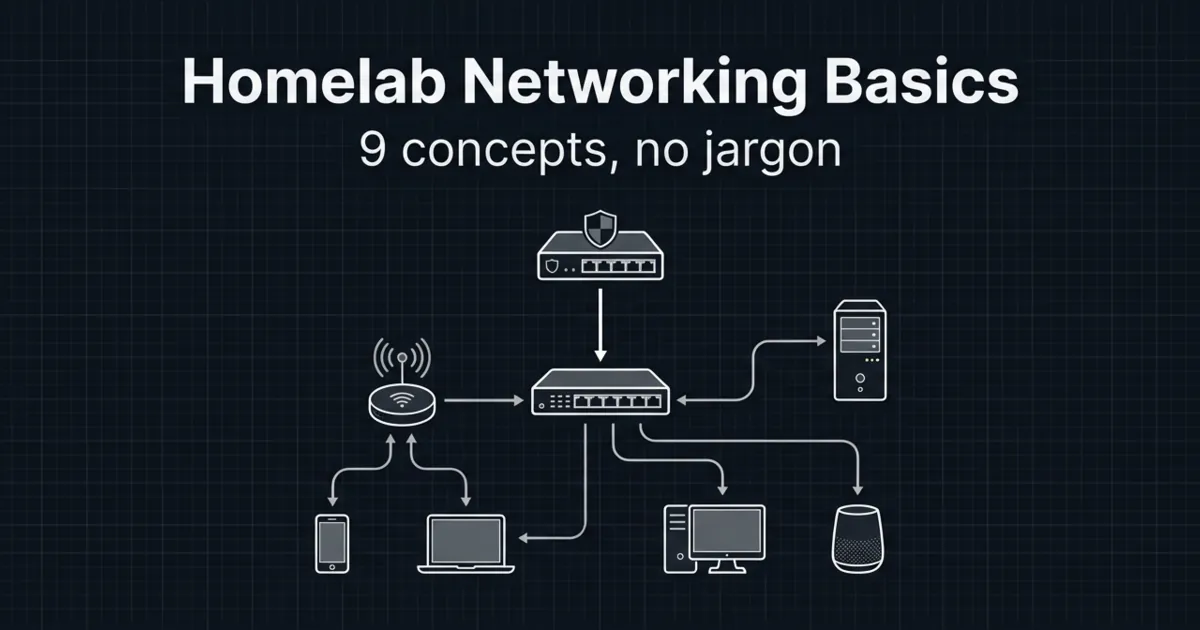
Homelab networking basics matter the moment you run more than one service. Suddenly you are dealing with IP addresses, ports, and why something works on your phone but not on your laptop.
You do not need enterprise networking to run a good homelab. You need a clean mental model and a few safe defaults.
In this guide:
- You will understand the 9 terms that show up in every setup guide
- You will learn a simple “default network” most homelabs can start with
- You will learn what to avoid so you do not accidentally expose services to the internet
If you are following the beginner series, this builds on earlier foundations in the Self-Hosting category.
Table of Contents
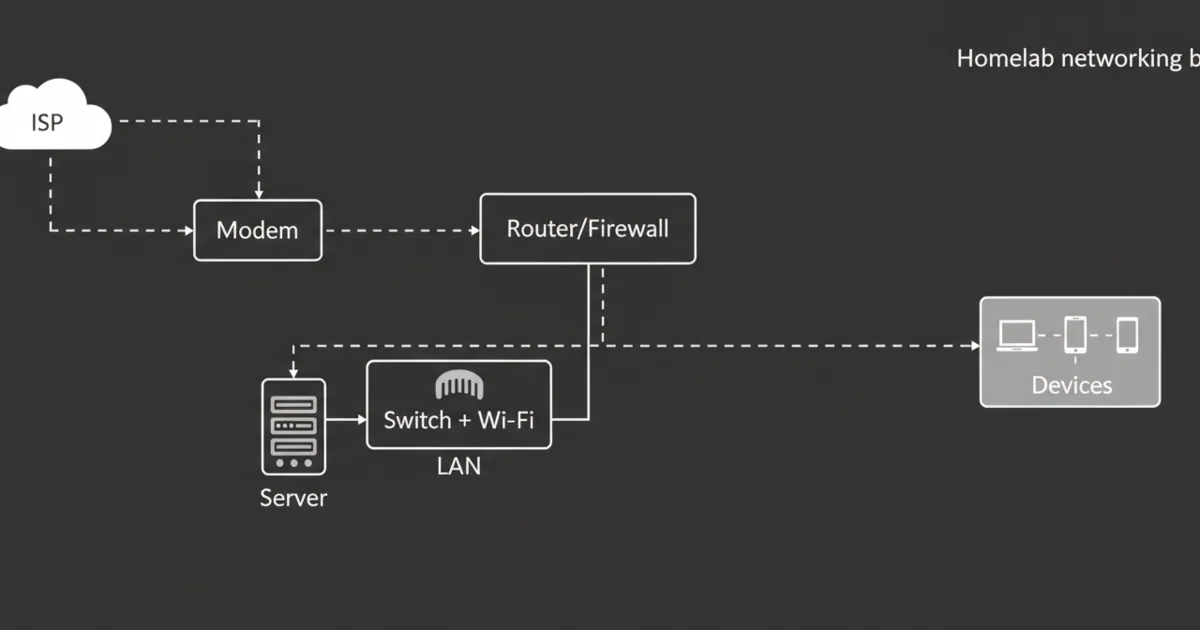
Homelab networking basics: the simplest safe default network
A safe default is boring on purpose:
- One router (your normal home router)
- One LAN subnet
- Services stay local-only
- No port forwarding until you know why you need it
Once that is stable, you can add complexity like VLANs.
1) IP addresses (how devices find each other)
An IP address is the number a device uses to talk on a network.
In a homelab, you will mostly see private IP ranges, not public internet addresses.
If you want the primary reference, see RFC 1918 (private IPv4 addressing): https://www.rfc-editor.org/rfc/rfc1918
Practical tip:
- Give your server a stable address (either a static IP or a DHCP reservation).
2) DHCP (who hands out IP addresses)
DHCP is the thing that automatically gives devices an IP address when they join your network.
If DHCP is flaky, your homelab will feel randomly broken.
Practical tip:
- Use DHCP reservations for servers and important devices so their IP does not change.
3) DNS (names like jellyfin.local instead of numbers)
DNS translates names to IP addresses.
This is why people set up Pi-hole or AdGuard Home early. Even if you do not block ads, having a DNS service you control helps keep names consistent.
References:
- Pi-hole documentation: https://docs.pi-hole.net/
Practical tip:
- Decide on a naming scheme for your services and stick to it.
4) Subnets (the boundary line)
A subnet is just a way to group IP addresses so networks can be separated.
Most home networks start with one subnet. That is fine.
A common beginner mistake is adding multiple subnets too early, then spending hours debugging why devices cannot discover each other.
5) NAT (why your whole house shares one public IP)
NAT is how most home routers let many devices share a single public internet connection.
NAT is normal. It is also why exposing a service to the internet usually involves port forwarding.
6) Firewalls (who is allowed to talk to whom)
A firewall is a set of rules that allows or blocks traffic.
In a homelab, the goal is not to block everything. The goal is to block the internet from reaching internal services unless you explicitly allow it.
If you want a strong open-source firewall platform reference:
- OPNsense documentation: https://docs.opnsense.org/
Practical tip:
- Default deny inbound from the internet.
- Be very picky about exceptions.
7) Ports (what service are you trying to reach?)
An IP address gets you to the machine. A port gets you to the specific service.
This is why you see addresses like:
Practical tip:
- Keep a simple list of what ports you use for what. It prevents collisions and confusion.
8) Port forwarding (the most common way people expose things accidentally)
Port forwarding tells your router: “Anything that hits my public IP on this port, send it to this internal device.”
This is useful, but it is also the fastest way to expose a service you did not intend to expose.
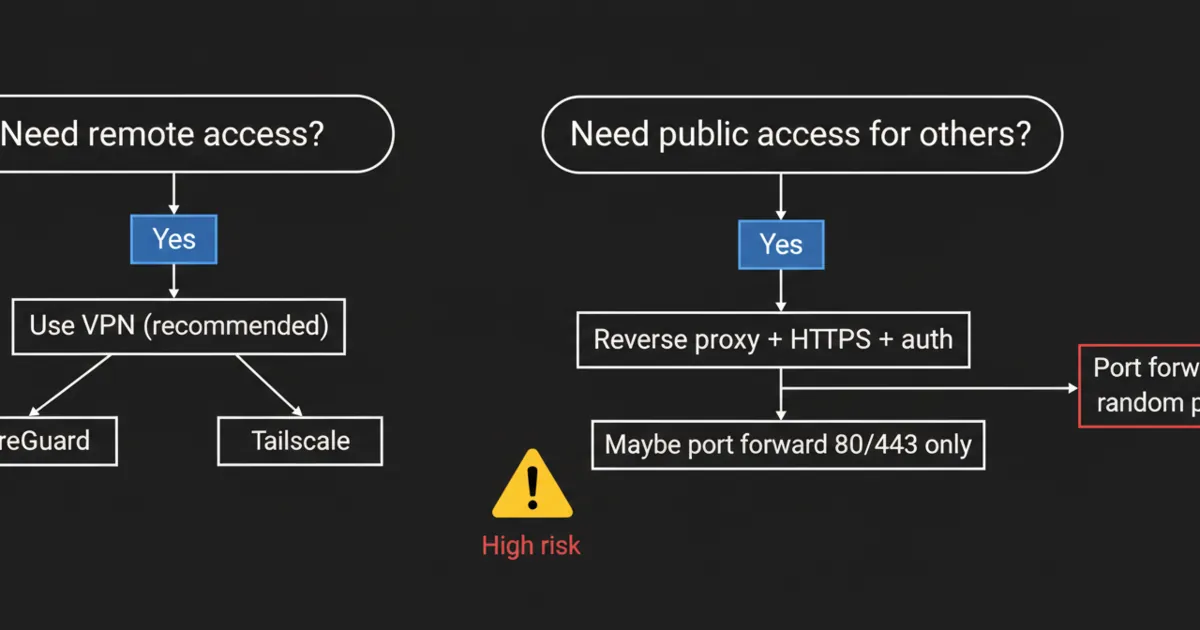
A safer default for remote access is a VPN.
References:
- WireGuard project: https://www.wireguard.com/
9) VPNs (remote access without opening random ports)
A VPN creates a secure tunnel so you can access your homelab like you are at home.
In practice, a VPN is often the simplest way to:
- access dashboards
- access media
- manage servers
If you want a popular, easy option to learn from:
- Tailscale documentation: https://tailscale.com/kb/
Practical tip:
- Start with VPN for remote access.
- Add public exposure only when you have a clear reason.
FAQ
What are the homelab networking basics I should learn first?
Start with IP addresses, DHCP, DNS, and ports. Those four explain most “why does this not work” problems.
Do I need VLANs for a homelab?
Not at the start. VLANs are useful for isolating risky devices, but they add complexity. Get one stable LAN first.
Why can I access a service by IP but not by name?
That is usually DNS. Check what DNS server your device is using and whether it has a record for the service.
What is the safest way to access my homelab from outside?
A VPN is the safest default. Port forwarding should be a deliberate choice with a security plan.
Next steps
Pick one improvement you can do today:
- Create a DHCP reservation for your server
- Set up local DNS for one service name
- Remove unnecessary port forwards
If your network becomes predictable, everything you self-host becomes easier.
1 Comment
Pingback: Nextcloud vs Seafile vs Syncthing: Which One Should You Actually Use? - HomeLabAddiction