

If you are new to homelabs, choosing an OS can feel like choosing a forever platform. It is not. Your first goal is to get a stable box running a few useful things, without painting yourself into a corner.
This guide helps you decide between three common paths: Proxmox, TrueNAS, or plain Linux. You will walk away with a clear choice, the trade-offs you are accepting, and a starter setup you can copy.
- Pick the right OS based on what you want to run (VMs, storage, or apps)
- Avoid beginner traps that cause rebuilds and data loss
- Start with a simple, sane setup for each option
If you have not yet built your first box, start here:
For basic homelab concepts (IP addressing, disks, backups), skim:
The quick answer: what are these, in plain English?
You can think of your homelab OS choice as a default control panel for your server.
Proxmox (virtualization first)
Proxmox VE is a hypervisor OS. It is designed to run virtual machines and containers first, then let you bolt on storage and networking as needed.
TrueNAS (storage first)
TrueNAS is a storage appliance OS. It is designed to manage disks, pools, and shares safely, and then run apps on top.
Plain Linux (control first)
Plain Linux usually means Debian or Ubuntu Server installed normally, then you add Docker, KVM, Samba, and whatever else you need.
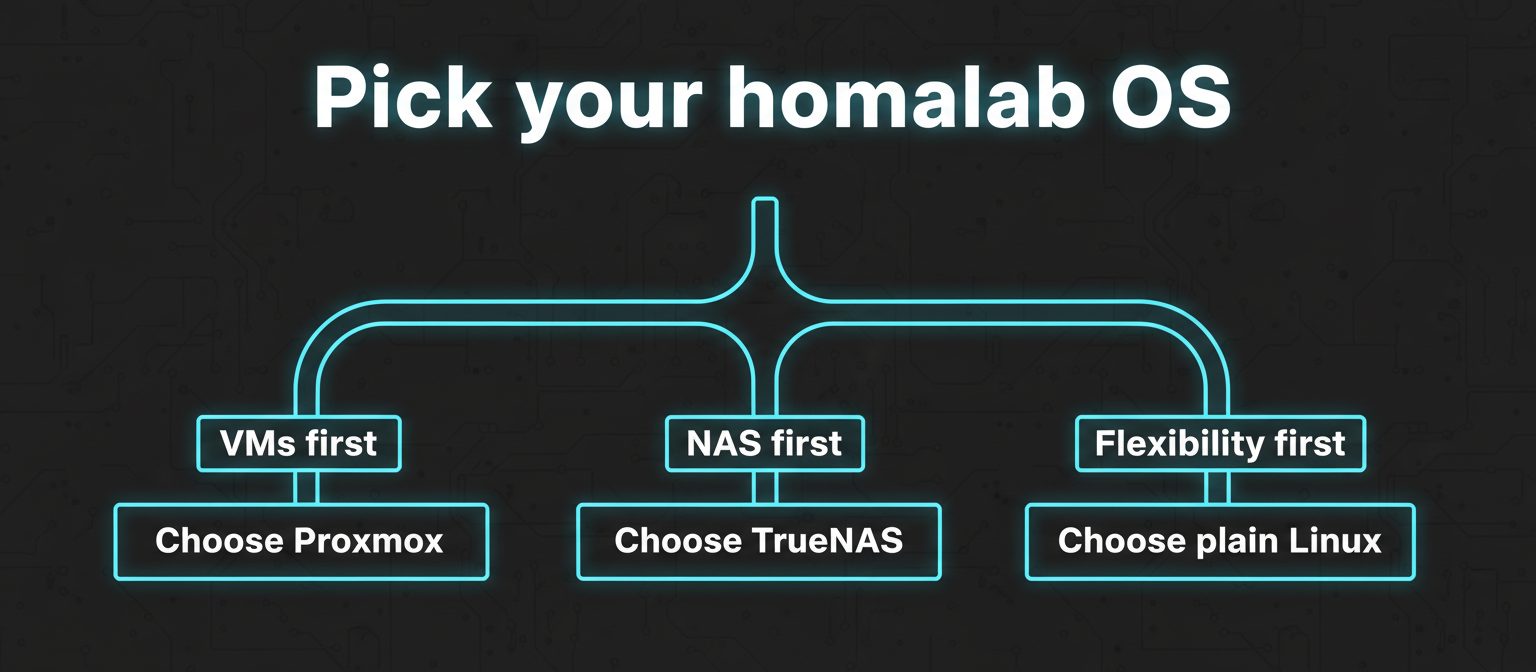
Decision tree: pick your homelab OS in 60 seconds
Step 1: Is your main goal a NAS you trust with important data?
- Yes: Choose TrueNAS
- No: Go to Step 2
Step 2: Do you want to run multiple OSes as VMs and click-to-manage them?
- Yes: Choose Proxmox
- No: Go to Step 3
Step 3: Do you want the simplest stack with transferable skills and the least platform magic?
- Yes: Choose plain Linux
- No: Go to Step 4
Step 4: Are you unsure and want the least regret as you explore?
- Choose Proxmox if you think you will try lots of things.
- Choose TrueNAS if your household depends on file storage.
- Choose plain Linux if you want to learn fundamentals and keep it lean.
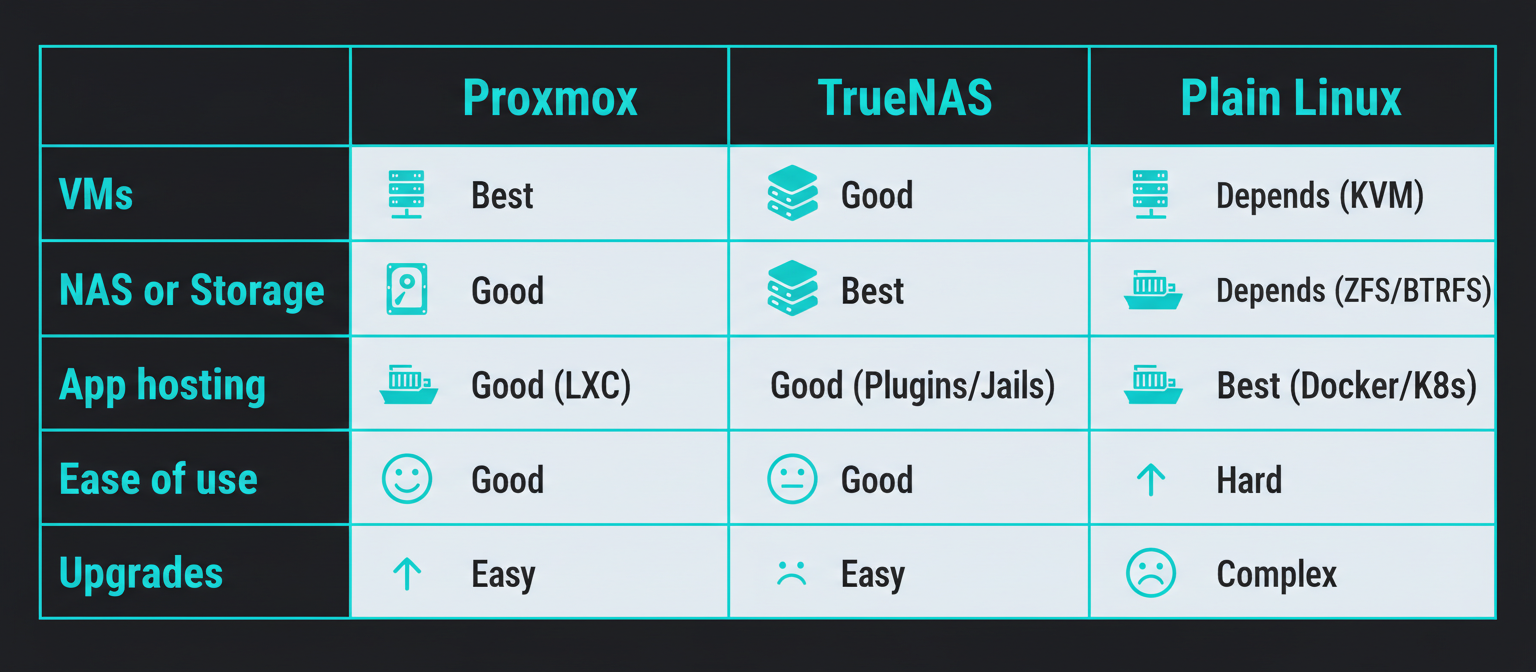
Simple comparison table (beginner focused)
| What you care about | Proxmox | TrueNAS | Plain Linux |
|---|---|---|---|
| Best at | Running VMs and containers | Safe storage and file sharing | Flexibility and learning fundamentals |
| Typical first win | VM for a service + sandbox | SMB shares + snapshots | Docker services you understand |
| Admin style | Web UI + CLI when needed | Web UI, storage-centric | Mostly CLI, optional web panels |
| Storage management | You design it | OS guides you strongly | You design it |
| Mistake risk | Medium | Medium | Medium to high |
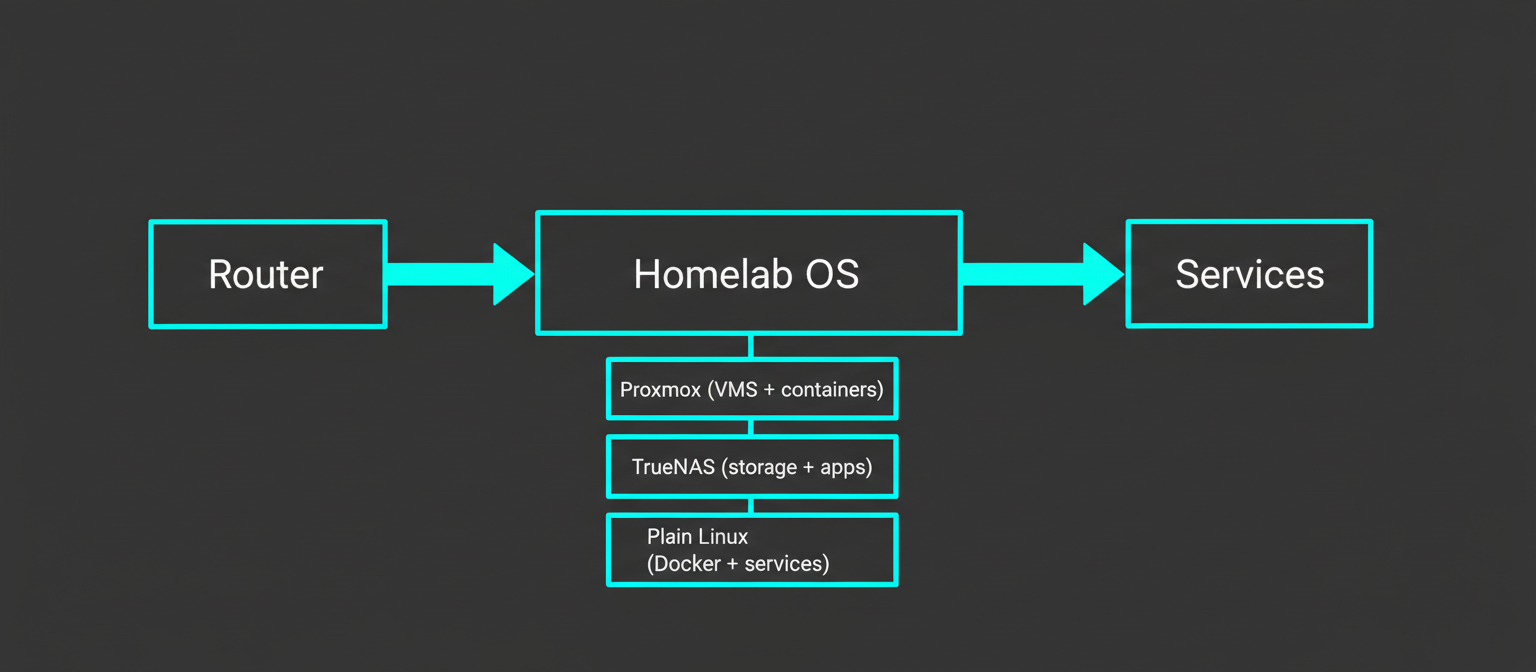
This simple layout is a good mental model: one box, a clear storage plan, and services you can add or move later.
Proxmox: choose it when you want a lab, not just a server
Proxmox is the choice for people who want to experiment without constant reinstalls. You can run a VM per project, snapshot before a risky change, and keep services separated.
When Proxmox is a good fit:
- You want to run multiple services that do not play nicely together.
- You want a Windows VM for a specific app, plus Linux services.
- You want strong separation between projects.
What you give up:
- Two layers to understand (host and guests)
- Storage decisions matter
Starter setup:
- Install Proxmox on an SSD.
- Create one Linux VM (Debian or Ubuntu Server) and put Docker there.
- Keep Proxmox itself boring.
Useful hubs:
- https://homelabaddiction.com/self-hosting/
- https://homelabaddiction.com/guides/
- https://homelabaddiction.com/tools/
TrueNAS: choose it when storage is the product
TrueNAS is the NAS that also runs apps. If your homelab stores family photos and backups, your priority is not a fancy hypervisor. Your priority is not losing data.
When TrueNAS is a good fit:
- You want SMB or NFS shares
- You want snapshots and replication as a habit
- You have multiple drives for a pool
What you give up:
- Less flexible for lots of random VMs
- Storage layout choices are high impact
Starter setup:
- Install TrueNAS on the recommended boot device.
- Create a single pool with sensible redundancy.
- Create datasets per purpose.
- Turn on daily snapshots.
Plain Linux: choose it when you want skills that transfer everywhere
Plain Linux is great for learning. Install Debian or Ubuntu Server, set up SSH, then add only what you need.
When plain Linux is a good fit:
- You want Docker first self-hosting
- You want minimal OS overhead
- You want standard tooling
What you give up:
- Integrated dashboards and guardrails
Starter setup:
- Debian or Ubuntu Server
- SSH keys
- Docker and Docker Compose
- One directory for all app stacks, backed up regularly
Common beginner traps
- Choosing the OS before choosing the workload
- Mixing important data with lab experiments
- Overbuilding on day one
FAQ
Is Proxmox overkill for a first homelab?
Not if you want to try lots of things. It can reduce reinstall pain because you can roll back VMs.
Is TrueNAS only for big storage servers?
No. It makes sense even for a small NAS if your priority is reliable file sharing and snapshots.
Can I run Docker on all three options?
Yes, but the experience differs. Plain Linux is most direct. Proxmox usually means Docker inside a VM. TrueNAS has apps with an appliance-like workflow.
Which option is easiest to migrate later?
Plain Linux is often easiest to lift and shift because it uses standard patterns.
Next steps
Write your first three homelab goals, then choose the OS that matches your primary goal.
Next in the beginner series: Virtual Machines vs Containers