

If you are trying to leave Google Photos or iCloud, this is probably what you care about most:
- Your phone photos should back up automatically
- Your memories should be easy to find later
- You should not lose data during setup or upgrades
Immich and PhotoPrism are both excellent self-hosted options, but they solve this problem in different ways. Immich feels like a modern mobile-first replacement for Google Photos. PhotoPrism feels like a powerful photo library manager with strong search and organization.
The short version is simple. For most beginners, Immich is the easier long-term choice if phone backup is the top priority. PhotoPrism is a great fit if you already have a large NAS photo archive and care most about search and browsing quality.
This guide will help you choose in a few minutes, then set up a safe backup approach so you do not learn hard lessons with irreplaceable photos.
Quick answer: Which one should you pick?
Choose Immich if you want:
- Automatic background backup from iPhone or Android
- A timeline experience similar to Google Photos
- Fast feature development and active community momentum
- Family-friendly daily use from mobile devices
Choose PhotoPrism if you want:
- Strong library indexing and search for existing archives
- A mature and stable browsing workflow
- A NAS-first setup where mobile auto backup is not the main requirement
- Fewer product changes over time
Still unsure? Start with Immich for active phone backup, and keep PhotoPrism in mind for archive-heavy workflows.
What beginners should evaluate first
Most comparison posts jump straight into feature lists. Beginners get better results by checking these five things first.
1) How photos arrive in the system
If upload friction is high, backup consistency drops. Immich has official mobile apps designed for background camera upload (Immich mobile app docs). PhotoPrism commonly uses WebDAV workflows and third-party mobile sync apps, as documented in its mobile sync guide and WebDAV guide.
That one difference decides a lot. If your system does not capture photos automatically, you are not running a reliable backup habit.
2) Setup complexity and maintenance
Both run well in Docker, but Immich usually has more services. PhotoPrism deployment is more compact, but can still need careful tuning depending on workload.
For beginners, complexity is not only install time. It is update confidence over the next year.
3) Hardware reality
Both platforms can run on modest hardware for small libraries. Large libraries, face recognition, and video-heavy collections increase RAM and CPU needs quickly.
Do not choose based only on minimum specs. Choose based on your next 2 years of photo growth.
4) Search quality versus daily experience
PhotoPrism documentation and community comparisons consistently emphasize strong indexing and search on existing libraries. Immich focuses heavily on day-to-day mobile flow and family sharing experience.
If your goal is daily capture and easy recall, workflow matters more than raw feature count.
5) Upgrade risk tolerance
Immich evolves quickly. That is great for new features and can require more attention to release notes. PhotoPrism is usually more measured.
If you want maximum innovation, choose the faster-moving platform. If you want a calmer maintenance rhythm, choose the steadier one.
Immich in plain language
Immich is built for people who want their phone to quietly upload every new photo and video, then browse everything in a clean timeline.
What beginners usually love
- Official mobile apps with auto backup behavior
- Familiar timeline feel for daily browsing
- Active development and frequent improvements
- Good family-use potential with sharing features
What can surprise beginners
- More moving parts in a typical deployment
- Update pace can be fast, so maintenance discipline matters
- First-time imports of large existing libraries can take planning
Best fit
Immich is ideal if your photos mostly start on your phone and you want backup to happen in the background without manual routines.
PhotoPrism in plain language
PhotoPrism is a strong choice when you already have a large archive, especially on NAS storage, and you want powerful search and tidy organization.
What beginners usually love
- Excellent indexing and browsing for large collections
- Solid, mature web experience
- Strong file organization options for archive workflows
What can surprise beginners
- No official native mobile auto-backup app in the same style as Immich
- Mobile backup often depends on third-party app setup via WebDAV
- Some advanced capabilities may require tuning and patience on bigger libraries
Best fit
PhotoPrism is ideal if your main problem is managing and searching a huge existing library, not just capturing new photos from phones.
Immich vs PhotoPrism side by side for beginners
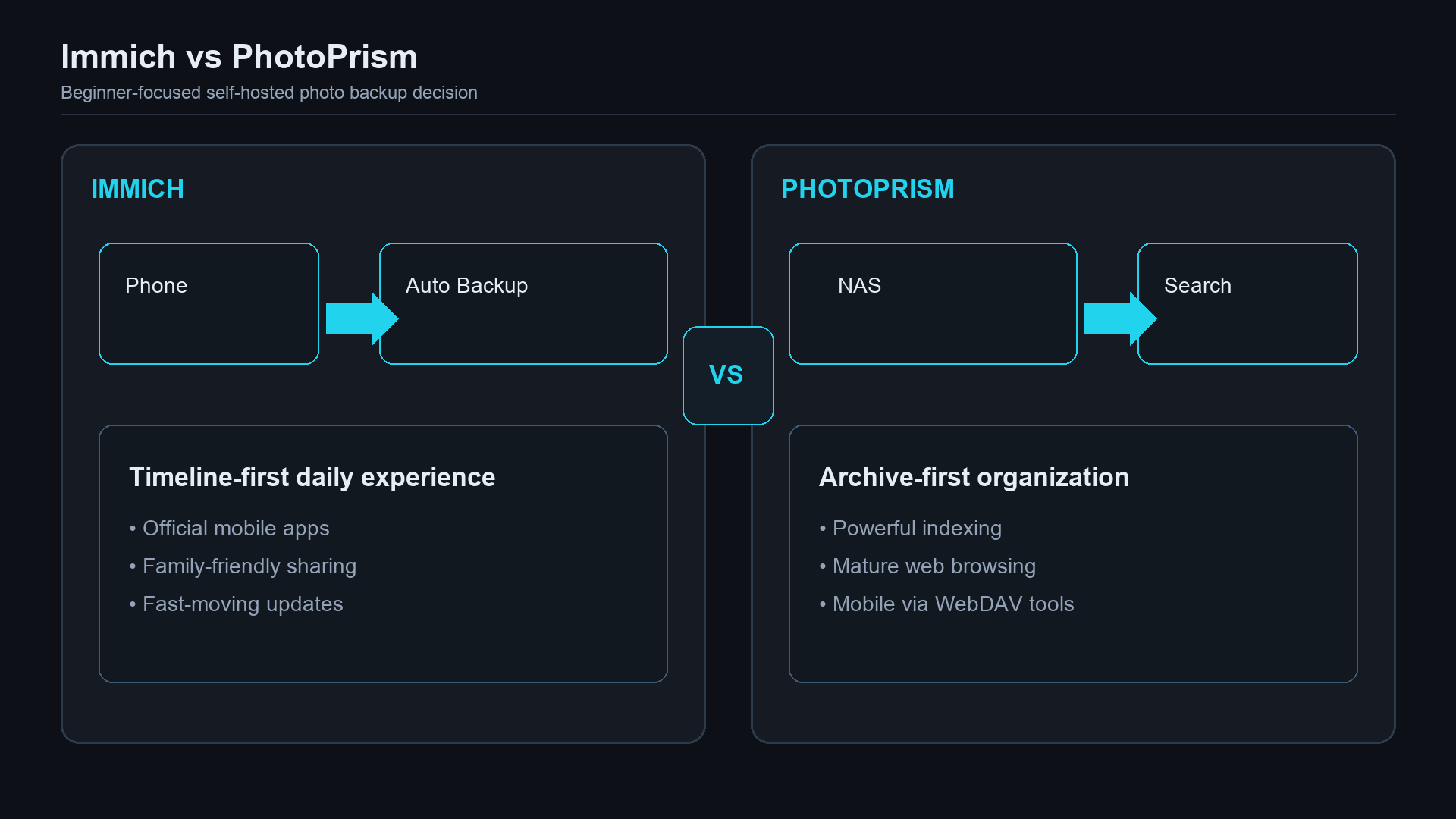
| Category | Immich | PhotoPrism | | | | | | Primary strength | Phone-first backup + daily use | Archive search + mature browsing | | Mobile backup | Official apps with auto backup focus | Commonly third-party WebDAV workflows | | Setup profile | More services, modern stack | Fewer services, tuning still important | | Best starting point | New self-hosters replacing Google Photos | NAS users with existing large libraries | | Update style | Fast-moving | More measured | | Day-to-day UX | Timeline-driven and mobile friendly | Web-centric and organization-focused | | Sharing | Good family-friendly capabilities | Good link sharing and album workflows | | Risk for beginners | Upgrade discipline needed | Mobile backup friction can break habits |
The 5-minute decision framework
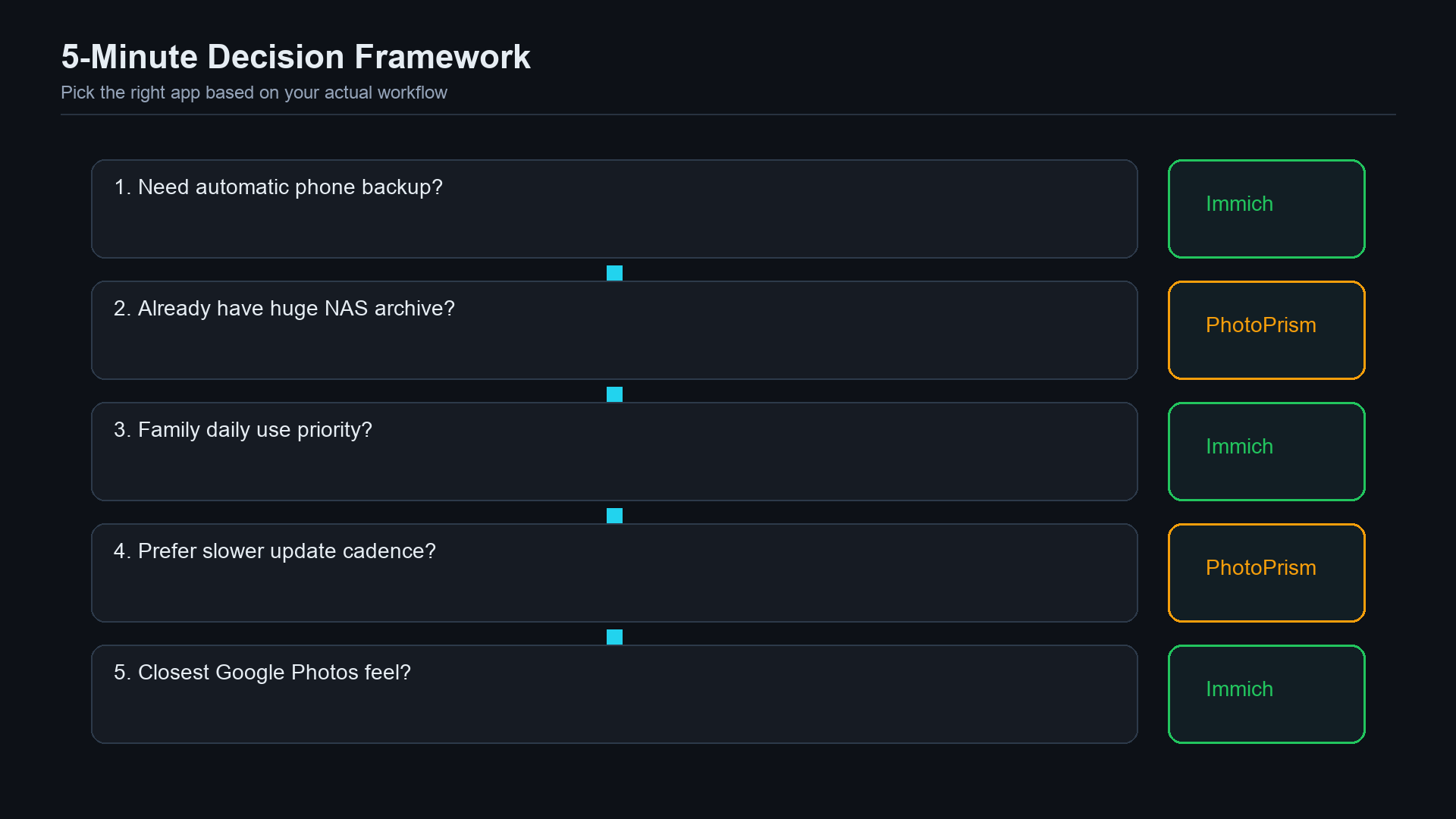
If you match one of these scenarios, choose accordingly.
Scenario A: “I just want phone photos backed up automatically”
Pick Immich.
Your biggest risk is forgetting manual uploads. Immich reduces that risk.
Scenario B: “I already have 80,000 photos on my NAS”
Pick PhotoPrism first.
Its archive browsing and indexing orientation usually fits this better.
Scenario C: “I want something my partner or family will actually use”
Pick Immich.
The mobile-first flow is easier for non-technical daily use.
Scenario D: “I want stable behavior and fewer surprises”
Lean PhotoPrism.
You still need maintenance, but the pace tends to feel steadier.
Scenario E: “I want the closest self-hosted Google Photos experience”
Pick Immich.
That is currently its clearest advantage.
Safe migration plan for beginners
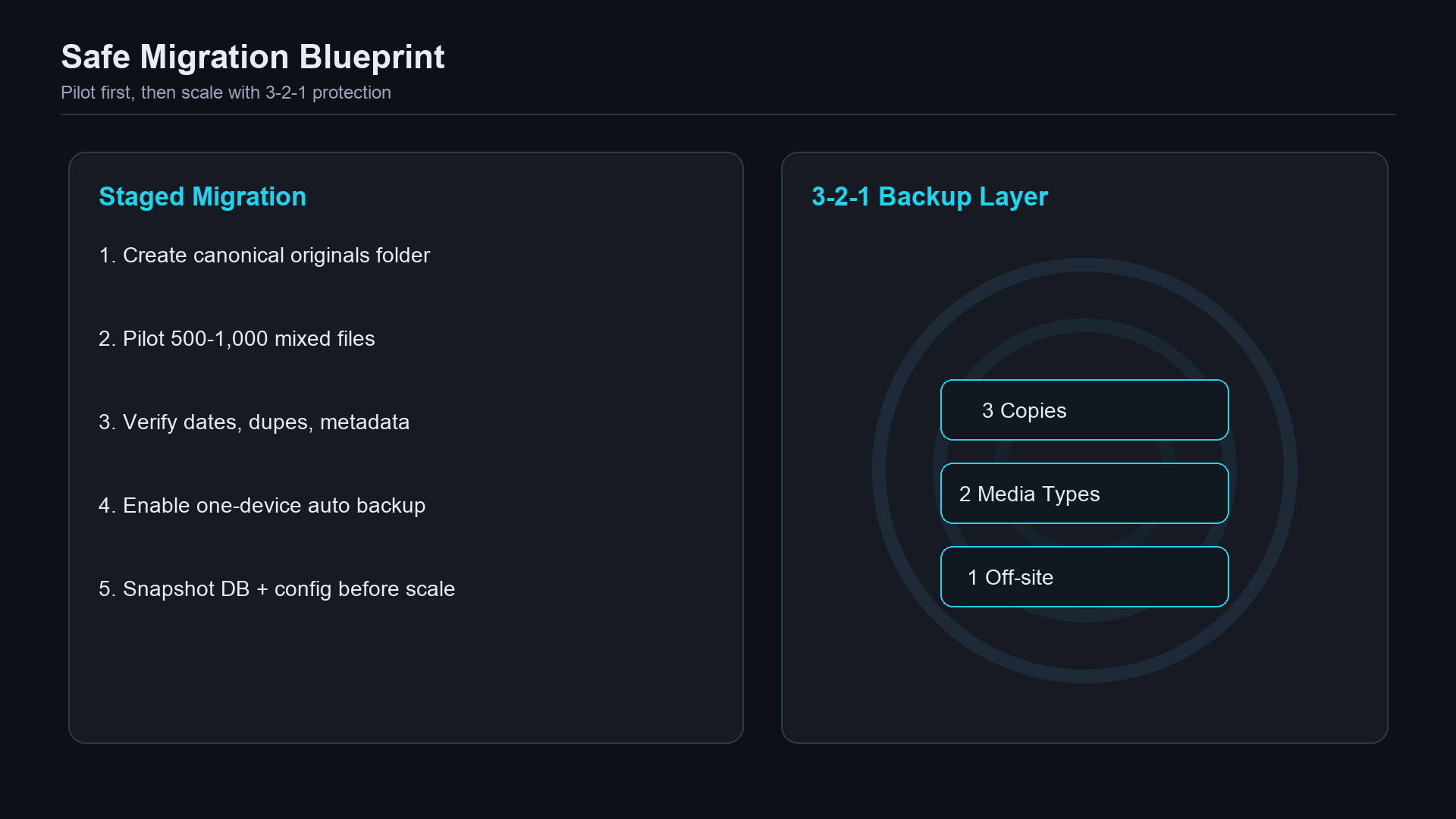
Do not migrate your whole photo life in one weekend. Use a staged approach.
- Create a clean source folder for originals
Keep this as your canonical photo source.
- Run a pilot import of 500 to 1,000 photos
Include HEIC, JPEG, videos, and a few edge cases.
- Verify key outcomes
Check timestamps, duplicates, albums, and search behavior.
- Enable ongoing phone backup for only one device first
Watch upload reliability for several days.
- Back up application data before scaling
Save database snapshots and config files.
- Scale gradually
Add devices and larger imports in controlled batches.
This method catches mistakes early while recovery is still easy.
Your backup strategy matters more than your app choice
This is the most important section in this guide.
Neither Immich nor PhotoPrism is your backup strategy by itself. They are applications that help manage photos. Real backup safety comes from your storage plan.
Use a simple 3-2-1 model:
- 3 copies of important data
- 2 different storage types
- 1 off-site copy
At minimum, protect:
- Original photo and video files
- App database
- Environment/configuration files
Then test restore, not just backup creation.
A monthly restore drill can be small:
- Restore 100 random files to a test location
- Restore a recent DB backup into a test container
- Confirm photos and metadata are readable
If you skip restore testing, you are hoping, not backing up.
If you need a practical foundation first, read Nextcloud vs Seafile vs Syncthing for file sync context, then build your safety layer with NAS backup strategy (3-2-1).
Beginner setup blueprint that avoids common pain
Hardware tiers that work
- Entry tier: Modern mini PC, 16 GB RAM, SSD
- Comfort tier: Mini PC + NAS storage + 32 GB RAM
- Growth tier: Dedicated host with room for ML and large video libraries
Baseline deployment checklist
- Use Docker Compose from official docs
- Store originals on reliable storage with snapshots if possible
- Put database on supported filesystem
- Keep compose and env files in versioned backup
- Pin and review updates before applying
If you are new to containers, start with Beginner Docker home server setup.
Security basics for internet access
If you expose your gallery remotely, do it safely:
- HTTPS only
- Strong unique passwords
- Minimal open ports
- Reverse proxy with strict access policy
- Optional VPN or identity-aware access for admin paths
Use this checklist before public exposure: How to expose self-hosted apps safely.
Final recommendation
For most beginners in 2026, Immich is the best default pick for self-hosted photo backup because daily mobile backup behavior is the hardest thing to replace well.
Choose PhotoPrism when your primary challenge is navigating and searching a large existing archive and you are comfortable setting up mobile upload flow separately.
Either way, do not optimize only for features. Optimize for reliability over time:
- Can it back up every day without manual effort?
- Can you restore when something goes wrong?
- Can your household actually use it?
If those three answers are yes, you picked the right platform.
