

The homepage vs homarr vs dashy decision looks simple until you try to live with one dashboard for a few months. All three can launch your apps. The difference is what happens after week one: how fast you can change layout, how much YAML you maintain, and how often updates break your setup.
In this guide, you will get:
- a clear decision tree for beginners and tinkerers
- a side-by-side comparison of setup style, integrations, and maintenance cost
- a default recommendation for most homelabs plus when to choose the alternative
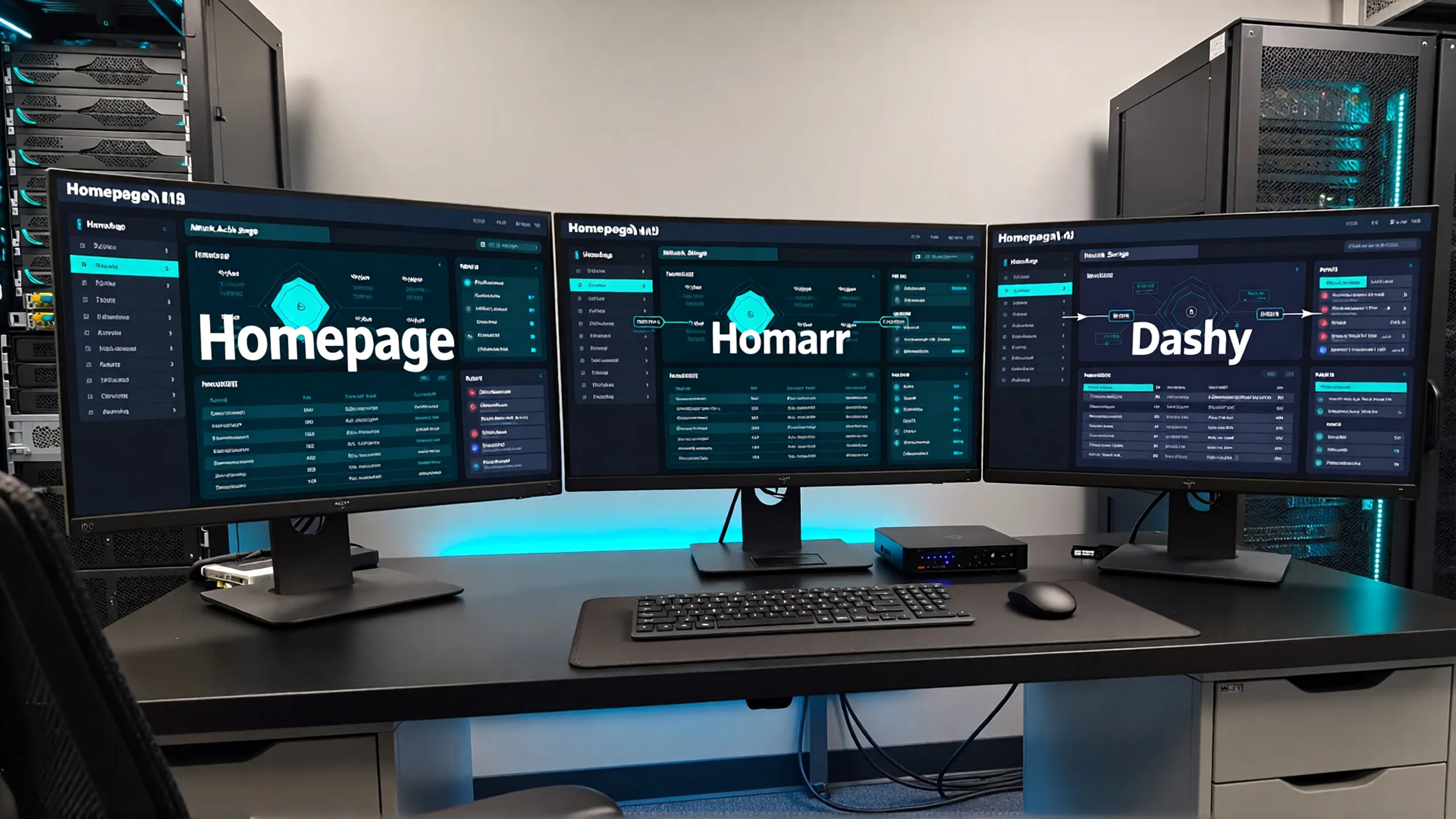
Homepage vs Homarr vs Dashy at a glance
If you want the shortest answer to homepage vs homarr vs dashy, use this:
- Choose Homepage if you want a fast, clean dashboard with strong service widgets and are comfortable editing YAML.
- Choose Homarr if you want a visual editor, drag-and-drop layout, and lower friction for non-YAML users.
- Choose Dashy if you want deep theming and a mature link-launcher experience with many customization options.
The mistake most people make is choosing based on screenshots. A better method is choosing based on your operating model:
- Is your homelab mostly Docker and managed via git?
- Do multiple people in the home need to edit the dashboard?
- Do you care more about pretty layout or low maintenance?
If you have not settled networking and secure access yet, fix that first with a reverse proxy baseline from this guide on Nginx Proxy Manager vs Caddy vs Traefik. Your dashboard only helps if your services are reachable safely.
How each dashboard is built and why it matters
The real difference in homepage vs homarr vs dashy is not color theme. It is configuration model.
Homepage: file-first, automation-friendly
Homepage is built for people who like versioned config. You define services, widgets, and layout in YAML files, then deploy the same config across environments. That makes it easy to keep a predictable setup when you rebuild hosts.
Why this works well:
- Config lives in files, so git history shows exactly what changed.
- Docker label integrations can reduce manual app entries.
- It is lightweight and loads quickly even on small hardware.
Trade-off:
- Team members who dislike YAML may avoid editing it.
- Fine-grained layout changes are less visual than drag-and-drop tools.
Official docs: gethomepage.dev and source code at GitHub.
Homarr: UI-first, collaboration-friendly
Homarr focuses on visual editing. You can place cards and widgets directly in the UI, which reduces friction for people who do not want config files as the primary interface.
Why this works well:
- Faster first setup for beginners.
- Easier to hand over to family members or teammates.
- Good balance between integrations and usability.
Trade-off:
- If your workflow is heavily infra-as-code, pure UI workflows may feel less deterministic.
- You still need operational discipline for backups and upgrades.
Official docs: homarr.dev and project repo at homarr-labs/homarr.
Dashy: customization-first, power-user friendly
Dashy has been popular for homelab launch pages because it is flexible and very themeable. You can tune appearance deeply and adapt it to many use cases.
Why this works well:
- Lots of customization and widget options.
- Mature community usage and many examples.
- Good if your dashboard is also a visual home page for the family.
Trade-off:
- More options can mean more time tweaking.
- If you chase perfection, you may spend more time styling than operating services.
Official docs: dashy.to and source at Lissy93/dashy.
Setup complexity, maintenance load, and upgrade risk
Beginners often ask for the easiest install. That is the wrong metric. Better metric: easiest to maintain after six months.
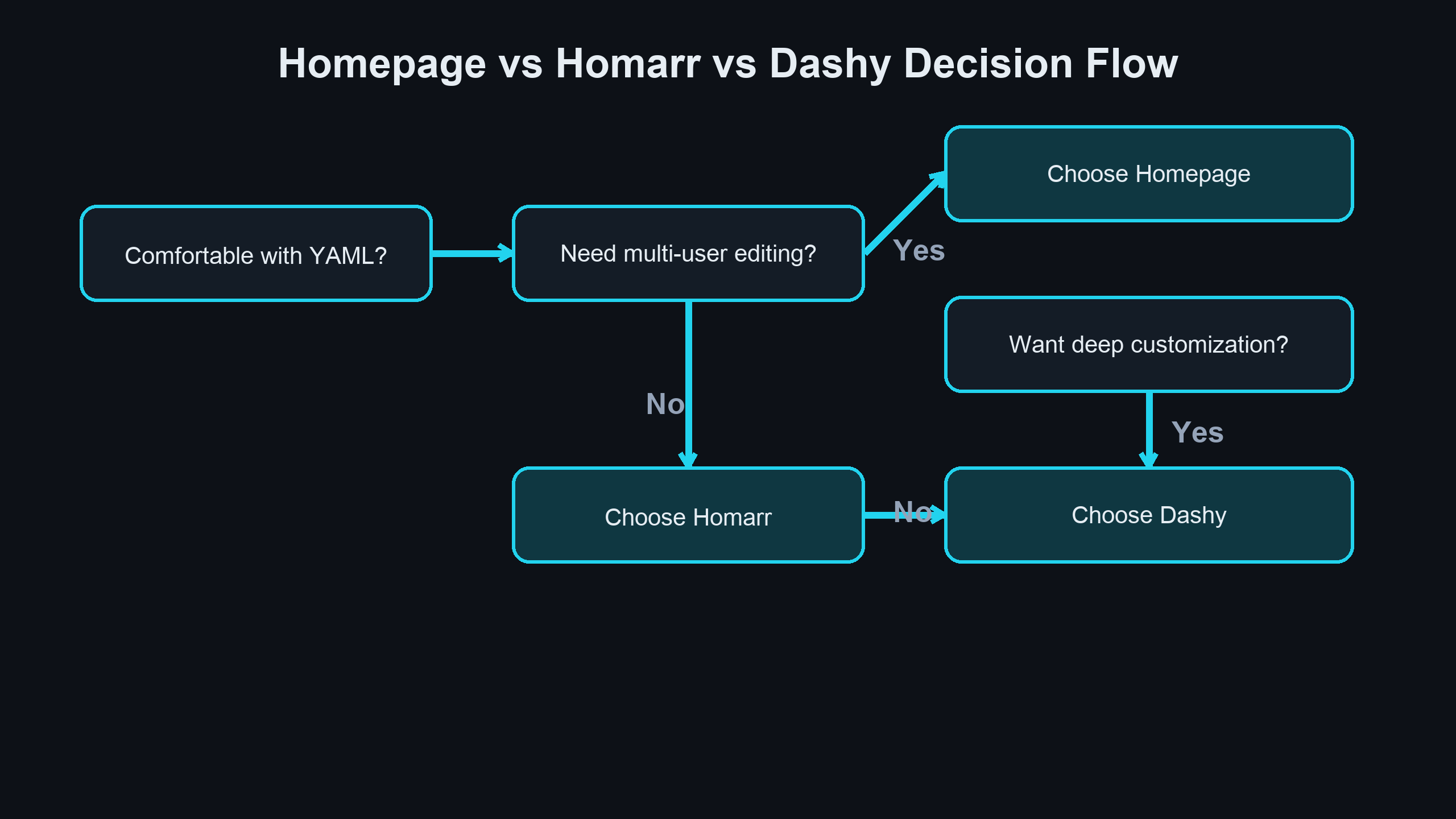
Here is the practical breakdown:
- Day-1 setup speed: Homarr usually wins because the visual editor reduces initial friction.
- Repeatability and disaster recovery: Homepage usually wins because config files are easy to back up and restore with your stack.
- Visual flexibility: Dashy usually wins because of broader theming and layout tuning.
A resilient pattern is to store dashboard config with the same process you use for Docker Compose backups. If your compose stack hygiene is not solid yet, use this checklist from Docker Compose best practices.
For remote access users, dashboard exposure is part of your threat model. Follow secure ingress guidance from Cloudflare Tunnel vs VPN vs Port Forwarding, then publish your dashboard through the method that matches your risk tolerance.
A default setup that avoids regret
If you are undecided, start with this default:
- Start with Homepage on a private LAN URL.
- Keep config in git and back it up with your regular homelab backups.
- Add only core services first: router, DNS, backup, media, and one observability panel.
- Revisit in 30 days. If household members need easier editing, migrate to Homarr.
This avoids a common trap: over-optimizing aesthetics before your infrastructure is stable.
Integrations and widgets: what actually helps daily
Most comparison posts focus on raw integration counts. In practice, value comes from high-signal widgets that reduce context switching.
The most useful widget categories for homelabs are:
- service health and uptime snapshots
- download or media queue summaries
- backup status visibility
- quick links to router, hypervisor, and storage interfaces
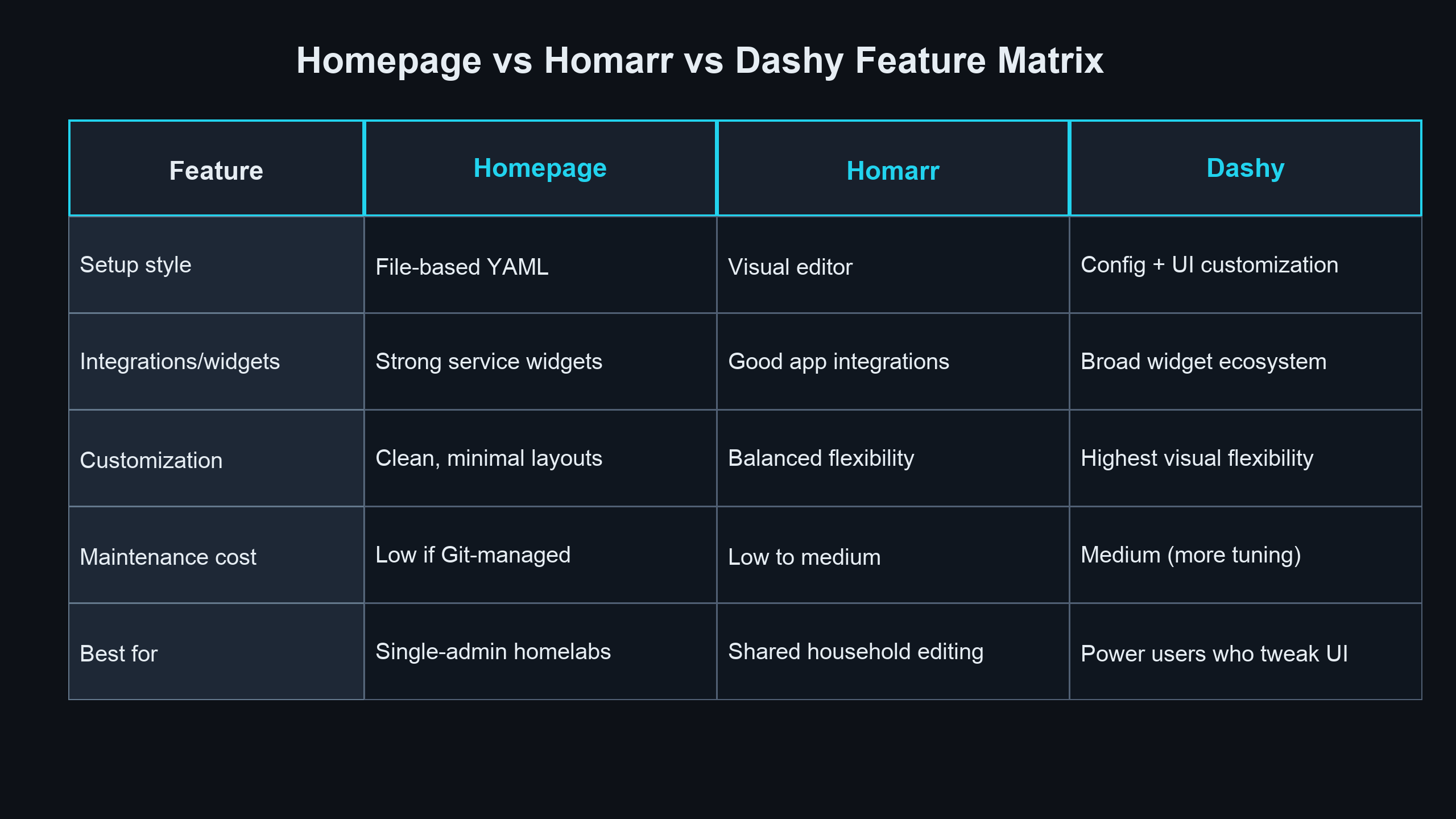
When testing homepage vs homarr vs dashy, score each tool on this simple rubric:
- Can I see critical service state in under five seconds?
- Can I recover the dashboard quickly after host failure?
- Can another person in my home update links safely?
- Do updates require frequent manual fixes?
If a dashboard looks great but fails these tests, it is not the right production choice.
Common mistakes when choosing a homelab dashboard
Mistake 1: treating the dashboard as your source of truth
Your source of truth should be your service definitions, backup strategy, and networking map. The dashboard is a control surface, not the system of record.
Mistake 2: exposing the dashboard publicly without access controls
A dashboard can reveal internal hostnames, service topology, and admin URLs. Even if apps are protected, metadata leakage helps attackers map your environment. Use private access patterns and least privilege, aligned with your homelab security baseline.
Mistake 3: adding every service card on day one
Large boards create noise. Start with a small high-value set and expand only when a card is used regularly.
Mistake 4: skipping backup and restore testing
If you cannot restore dashboard config in minutes, your setup is fragile. Tie dashboard backup to your broader backup plan and test restores quarterly. This pairs naturally with the maintenance playbook in homelab backups and monitoring.
Decision framework: which one should you pick?
Use this framework to finalize the homepage vs homarr vs dashy choice:
- Pick Homepage if you are comfortable with YAML, want reproducible config, and prefer low ongoing friction.
- Pick Homarr if multiple users will edit the board and UI-driven administration matters more than file-driven workflows.
- Pick Dashy if heavy visual customization is a core requirement and you enjoy fine-tuning your portal.
For most single-admin homelabs, Homepage is the safest default. For shared households and collaborative edits, Homarr is often the smoother operational fit. Dashy remains strong when customization is your priority and you accept additional tuning time.
A 14-day trial plan before you commit
If you still feel stuck in the homepage vs homarr vs dashy decision, run each tool for a short controlled trial instead of debating features forever.
Use the same five services in all three dashboards: your reverse proxy, DNS, media server, backup target, and hypervisor UI. Keep the cards and widgets equivalent so your comparison is fair.
- Day 1-3: install and baseline setup. Measure how long it takes to get a useful board.
- Day 4-7: daily operation. Track whether the dashboard helps you detect issues faster.
- Day 8-10: change management. Add two new services and move layout blocks.
- Day 11-14: recovery drill. Restore configuration from backup on a test host.
At the end, pick the dashboard that gave you the lowest maintenance friction, not the one with the flashiest screenshots. This short test usually reveals your long-term fit better than any Reddit thread.
FAQ
Is Homepage faster than Homarr and Dashy?
In many setups, Homepage feels very fast because it is lightweight and file-driven. Perceived speed still depends on widgets, network latency, and host performance.
Which is easiest for beginners: Homepage, Homarr, or Dashy?
Homarr is usually easiest at first because the visual editor reduces YAML work. Beginners who plan to use git-driven config long term may still prefer Homepage.
Can I migrate from Dashy to Homepage or Homarr later?
Yes, but plan migration as a small project. Export your service list first, rebuild core cards, then validate links and widgets before replacing your main dashboard URL.
Do I need to expose my dashboard to the internet?
No. Most homelabs should keep dashboards private and access them through VPN or secure tunnel patterns. Public exposure should be rare and heavily controlled.
Which dashboard is best for multi-user households?
Homarr is often the most practical for multi-user editing because non-technical users can adjust layout in the UI. Homepage can still work if one admin manages config centrally.
Next Steps
Pick one candidate today and run a 30-minute trial with five real services. Measure how quickly you can add cards, verify status, and recover config from backup. That quick test will give you a better answer than any feature list, and it will keep your homelab focused on uptime instead of dashboard churn.
