

Most homelabs don’t fail because of one big mistake. They fail because small changes stack up until nothing is predictable.
You add one more container, then a reverse proxy, then a new DNS rule, then a “temporary” port forward. Two months later you are scared to reboot.
If you want to grow your homelab, the goal is not perfection. The goal is repeatability.
In this post:
- A simple default architecture that stays stable
- 10 habits that prevent slow chaos
- A short checklist you can run before you change anything
If you are following the beginner series, this builds on earlier foundations in the Self-Hosting category.
Grow your homelab: keep a stable baseline and change one thing at a time
The fastest way to break a homelab is changing three variables at once.
When something stops working, you do not know which change caused it.
A safer approach:
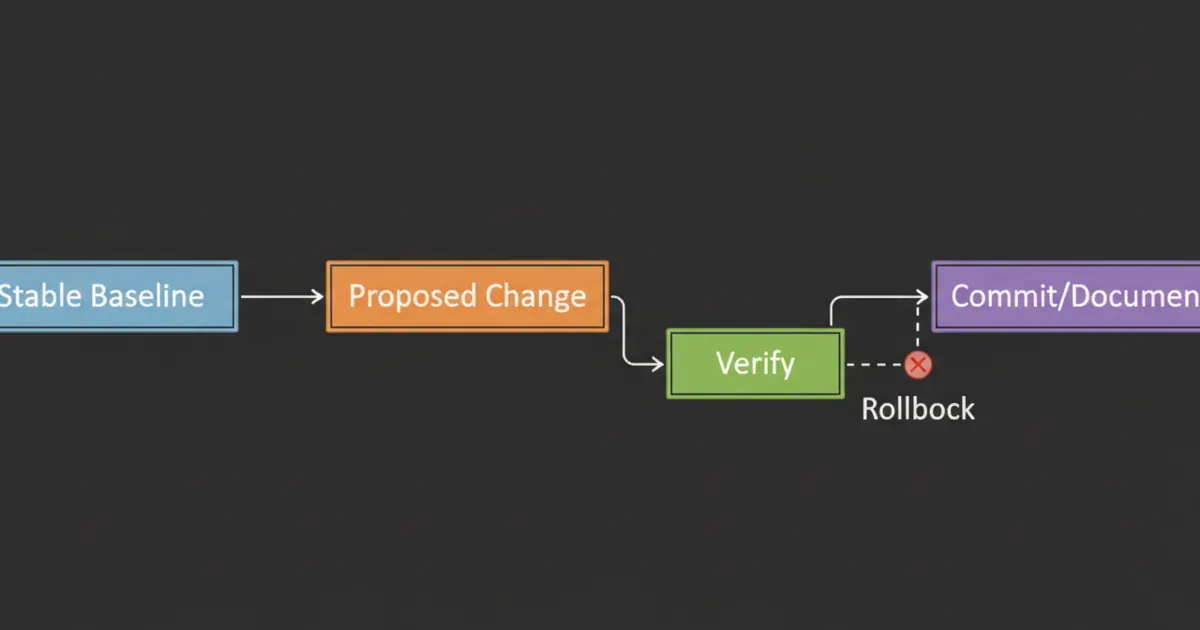
- keep a stable baseline
- change one thing
- verify it
- write down what you did
This also helps you avoid the most common scaling trap: mixing “new service” changes with “network change” changes.
If you add a new app and a new DNS rule and a new firewall rule in the same hour, you are guaranteed a long night.
Habit 1: write it down (what you wish you knew earlier)
If you read homelab forums for long enough, you see the same regret: “I should have documented this sooner.”
Most outages are not mysterious. They are forgotten decisions.
Habit 2: write it down (your homelab is a system, not a vibe)
If you cannot explain your setup in a simple note, it will not scale.
You do not need a wiki. A single repo or folder is enough:
- network map
- IPs and DNS names
- what runs where
- how backups work
- how remote access works
Documentation is a multiplier because it prevents repeated troubleshooting.
A simple rule for when to document:
- If a future you would ask “why is it like this?”, write one sentence now.
Habit 2: keep an inventory (hardware, services, dependencies)
As soon as you have more than one machine, your biggest risk is forgetting what depends on what.
Track three lists:
- Hardware: server model, disks, NICs, IPMI/iDRAC address, warranty notes
- Services: what runs, where it runs, and how you access it
- Dependencies: DNS, reverse proxy, storage mounts, certificates, VPN
This makes troubleshooting faster because you can follow the chain when something fails.
Habit 3: standardize naming and folders
Chaos starts with inconsistency.
Pick conventions:
- hostnames
- service URLs
- folder structure for compose stacks
This makes maintenance boring, which is what you want.
A practical default:
- one folder per stack
- one
docker-compose.ymlper stack - a
config/folder you can back up - a
data/folder or named volumes for state
Habit 4: separate “core” from “experiments”
You will always have experiments.
The trick is keeping experiments from breaking the things you rely on.
Beginner-friendly approach:
- one services VM or host for core apps
- one sandbox VM for experiments
If the sandbox breaks, your life does not.
Habit 5: reduce the number of public entry points
As you grow your homelab, you will be tempted to expose more services.
Do the opposite.
Prefer:
- VPN for your own access
- one reverse proxy for anything public
This keeps your risk small and auditable.
Habit 6: treat backups and restores as part of every change
A backup you never restore is a hope, not a plan.
Before major changes, do a tiny restore test:
- restore one folder
- confirm you can start one service from restored data
If you cannot restore, do not add complexity.
Reference:
- Restic: https://restic.net/
Habit 7: make changes reproducible (Compose files, scripts, and notes)
As you grow your homelab, manual setup becomes your enemy.
Your goal is not automation for its own sake. Your goal is that you can rebuild when something breaks.
A practical baseline:
- keep
docker-compose.ymlfor every stack - keep a short README with access URLs and ports
- keep backup and restore notes per app
This is the boring foundation behind “it survived the reboot.”
Habit 8: version-control your configs (lightweight GitOps)
You do not need full automation.
But you should keep:
- compose files
- reverse proxy configs
- firewall notes
in version control.
This makes rollbacks possible and changes reviewable.
A simple approach:
- one private repo
- one folder per stack
- commit messages like “upgrade jellyfin” or “add new DNS record”
If you want to see what a more advanced approach looks like, GitOps-style homelabs manage everything from a repo.
References:
- Example GitOps homelab repo: https://github.com/khuedoan/homelab
- GitOps overview: https://www.weave.works/technologies/gitops/
Habit 9: upgrade on purpose (pin versions)
Random upgrades are how stable services become surprise downtime.
Good default:
- pin versions for important services
- upgrade during a planned window
- keep a rollback path
Habit 10: monitor the boring signals
As you grow your homelab, you need early warning.
Start with:
- disk space alerts
- uptime checks
- backup success monitoring
Reference:
- Uptime Kuma: https://uptime.kuma.pet/
Habit 11: keep cables and power boring (label it early)
A lot of “my homelab broke” stories are not software. They are power and cabling.
Two small habits save hours:
- label both ends of cables
- document what is plugged into what (switch ports and power strips)
This matters even more when you add a second machine or a switch.
Habit 12: add segmentation only when you can explain it
VLANs and multiple subnets are useful.
But they can also turn your weekend into “why can’t my phone see the server.”
Add them when:
- your baseline network is stable
- you have a reason (IoT isolation, guest devices, lab separation)
Habit 13: keep a rollback plan for every risky change
Rollback does not need to be fancy.
It can be:
- a snapshot
- a config backup
- a known-good compose file
The point is that you are never stuck.
A good rollback plan answers two questions:
- What is the fastest way to get back to “working enough”?
- What is the clean way to fix it properly after the outage is over?
If you keep those separate, you stop making panicked changes that compound the problem.
Habit 14: separate storage growth from service growth
One of the most common scaling pain points is mixing two big changes:
- migrating storage
- migrating services
If you are adding a NAS, a new disk pool, or a new server, treat that as its own project.
Move one dataset first, validate performance and permissions, then move services.
This is how you grow your homelab without turning “storage night” into “everything is down” night.
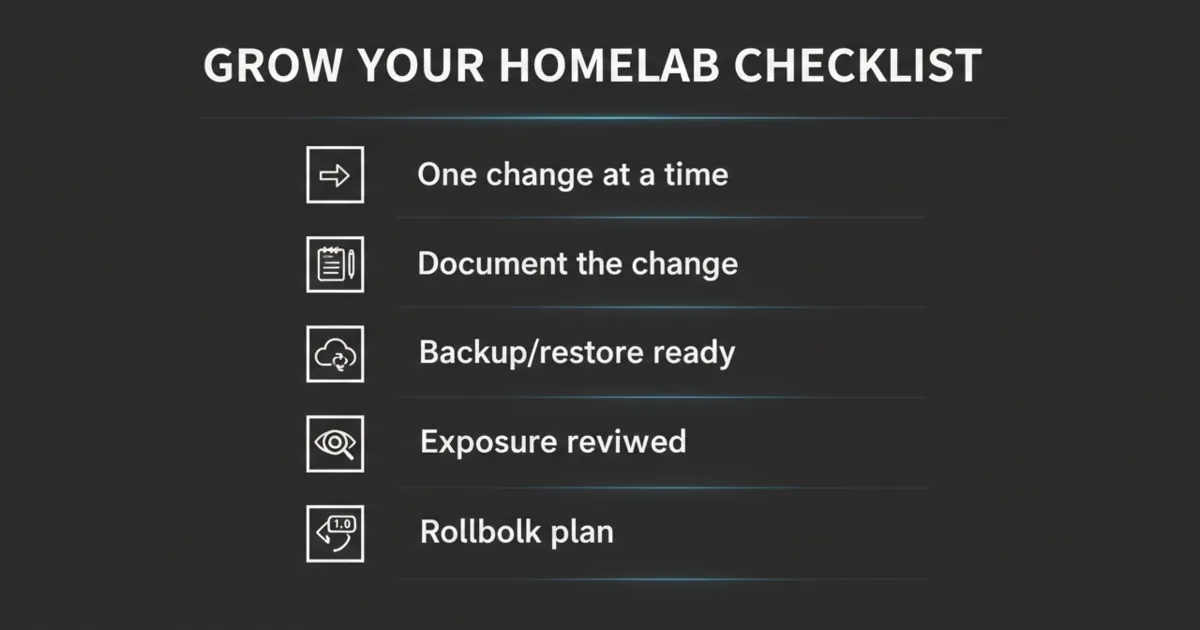
A pre-change checklist (run this every time)
Before you touch your lab:
- What is changing?
- What could break?
- How do I roll back?
- Do I have a recent backup?
- Is the change affecting networking or exposure?
FAQ
How do I grow my homelab without breaking everything?
Grow slowly. Keep a stable baseline, document changes, and make rollback normal.
What should I document first?
Document the network map, IPs, DNS names, and what runs where. Those are the details you need when something fails.
Do I need Kubernetes to scale a homelab?
Not for most people. A consistent Compose setup plus backups and monitoring scales surprisingly far.
How do I avoid losing data as my homelab grows?
Make backups and restore tests part of your routine. If you cannot restore, stop adding complexity.
What is the best way to keep configs organized?
Use a consistent folder structure and put configs in version control.
What is the most common mistake when scaling a homelab?
Changing too many things at once. Make one change, verify it, then move to the next.
What should I label in a rack or cabinet setup?
At minimum, label power and network cables on both ends, and note which switch ports matter. It prevents “mystery unplug” downtime.
Next steps
Pick one habit from this list and implement it this week.
The easiest high-impact pair:
- put your configs in a repo
- set a monthly upgrade window
If you want a third:
- label your power and network cables before you forget what is what
If your lab becomes predictable, you will be able to grow it without fear.
1 Comment
Pingback: Nextcloud vs Seafile vs Syncthing: Which One Should You Self-Host? - HomeLabAddiction